UTM-00339 | Rev 19
Page 65 of 253
DetNet South Africa Copyright © 2021
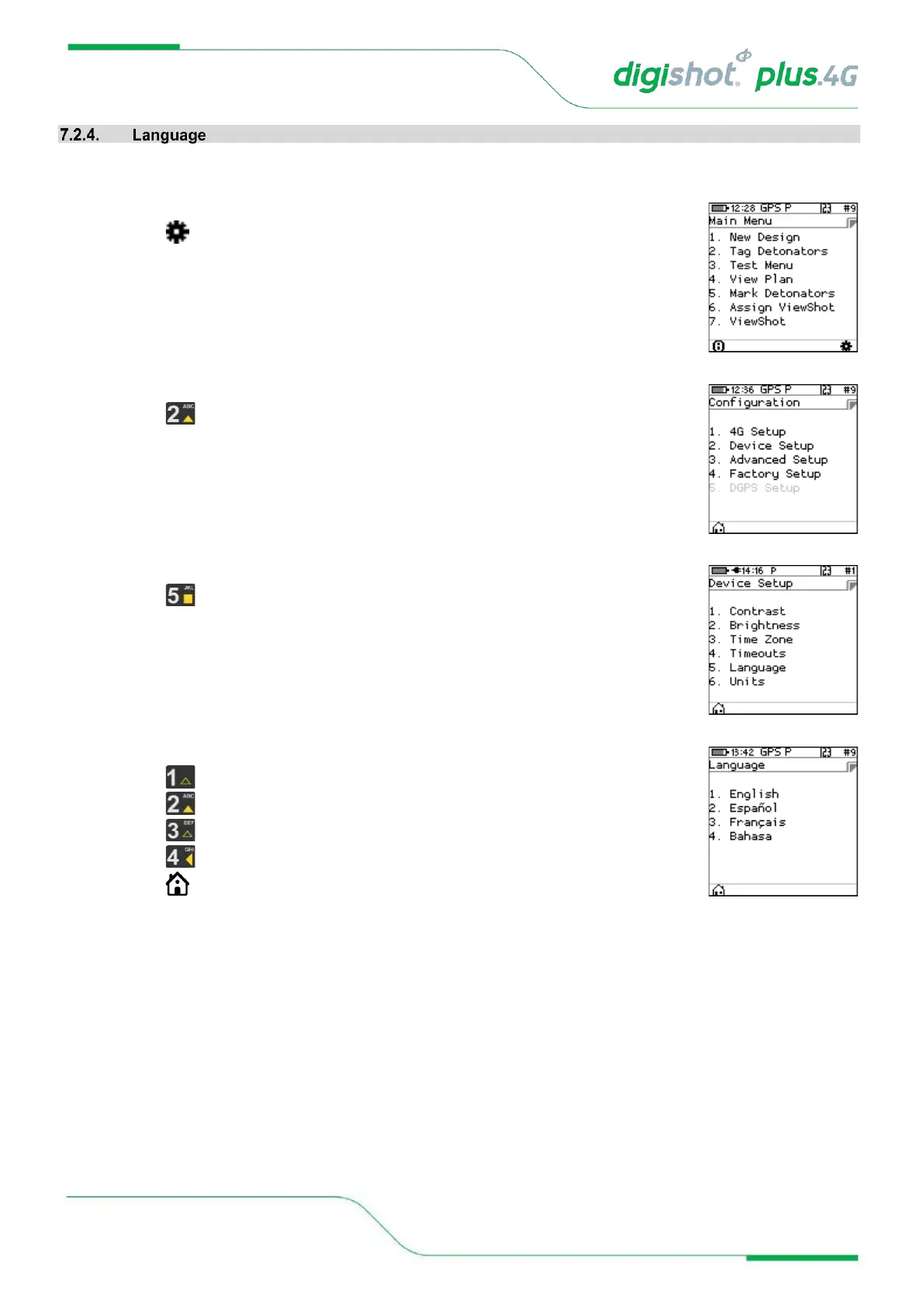
This function enables the user to select a language preference for the CE4 Tagger menus.
1. Main Menu
• Press SoftKey to select Configuration Settings.
2. Configuration Settings Menu
• Press to select Device Setup.
3. Device Setup
• Press to select Language.
4. Language
• Press on the keypad to select English.
• Press on the keypad to select Español.
• Press on the keypad to select Français.
• Press on the keypad to select Bahasa.
• Press SoftKey to return to Main Menu.



 To Next Page