UTM-00339 | Rev 19
Page 193 of 253
DetNet South Africa Copyright © 2021
24. Remote Blast
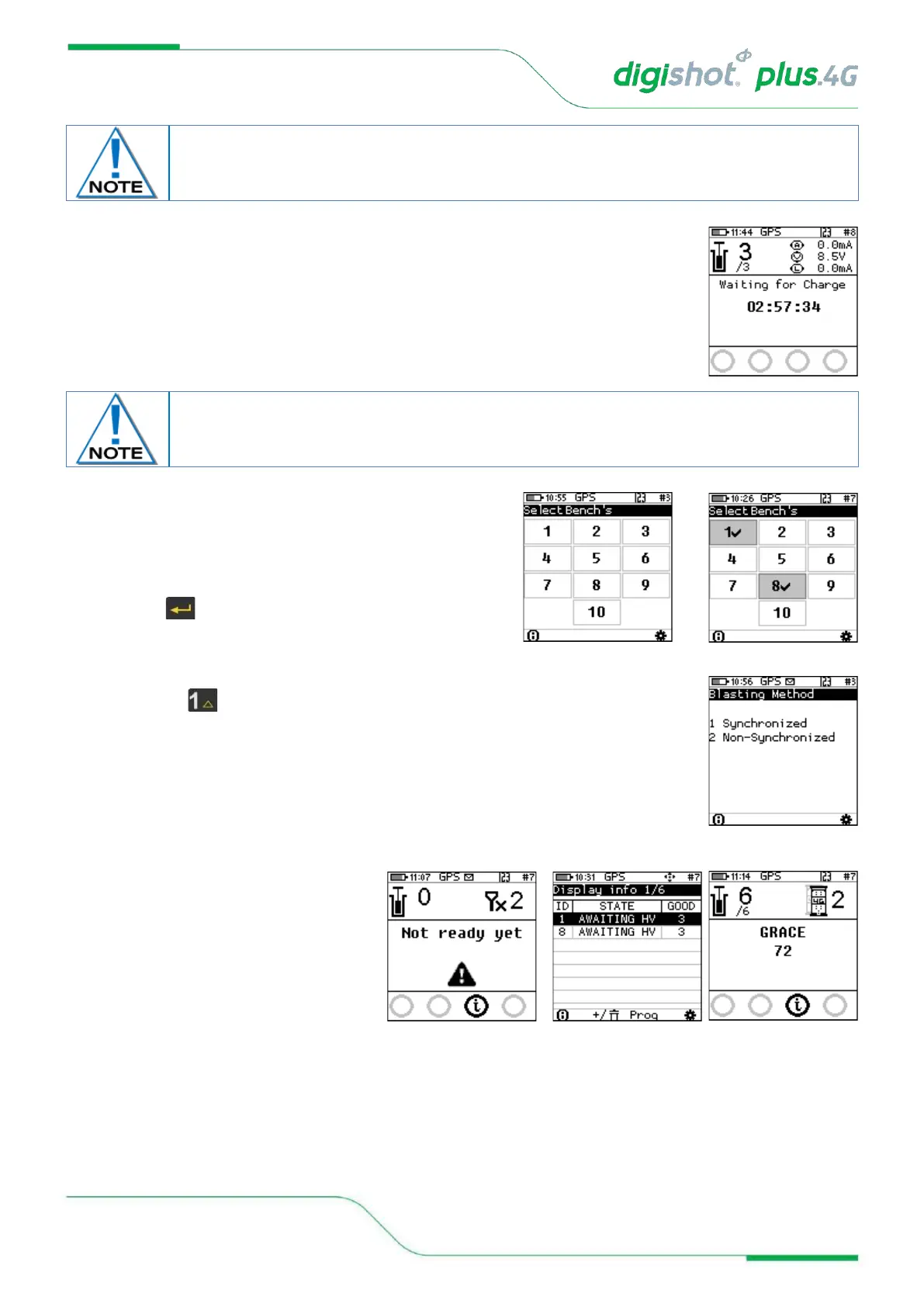
• The Bench Commander will await a command from the Base Commander
• Select the applicable Bench Commanders by pressing
corresponding numbers on the keypad. Select Bench
10 by pressing 0 on the keypad. (Bench 1 is selected
as indicated by the tick mark ✓ in example shown).
• Applicable Bench Commander will be Indicated by ✓
• Press to continue
25. Synchronized or Non-Synchronized blasting
• Press for synchronized
26. Remote Synchronized Blast
• Wait if message “Not ready yet” is
displayed ensure all Benches and
Base Commanders RF settings are
set the same
• User will be prompted to Scan Key
once all the bench commanders are
out of grace period and ready to blast.
Disconnect the CE4 Tagger from the Bench Commander. CE4 Tagger will automatically
disconnect from the Bench Commander during charging.



 To Next Page