UTM-00339 | Rev 19
Page 183 of 253
DetNet South Africa Copyright © 2021
This function prepares for either a Local Blast or a Remote Blast
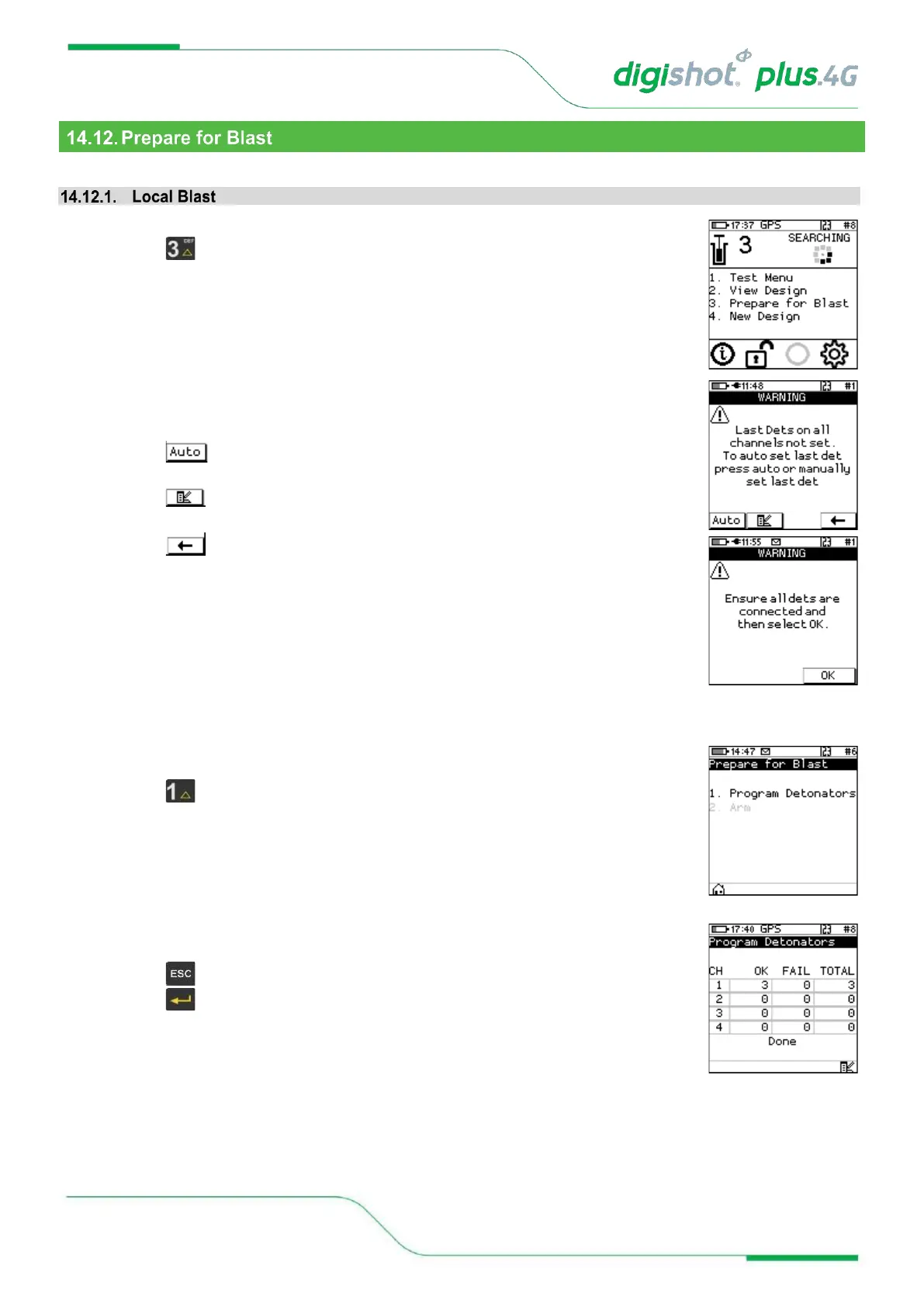
1. Main Menu
• Press SoftKey to select Prepare for Blast.
2. Warning for last det not set
User is enforced to select last dets on all channels. A warning will appear where the
user may:
• Press to automatically select last det, which is the last det on the list for each
channel
• Press to have the list of detonators displayed and select the last dets
manually
• Press to return to main menu
• If the user selects the last det automatically, a warning will appear to ensure that all
dets are connected before proceeding to programming.
3. Prepare for Blast
• Press Key to select Program Detonators.
4. Program Detonators
• Detonators will be programmed
• Press button to return to Prepare for Blast Menu
• Press to continue.



 To Next Page