UTM-00339 | Rev 19
Page 184 of 253
DetNet South Africa Copyright © 2021
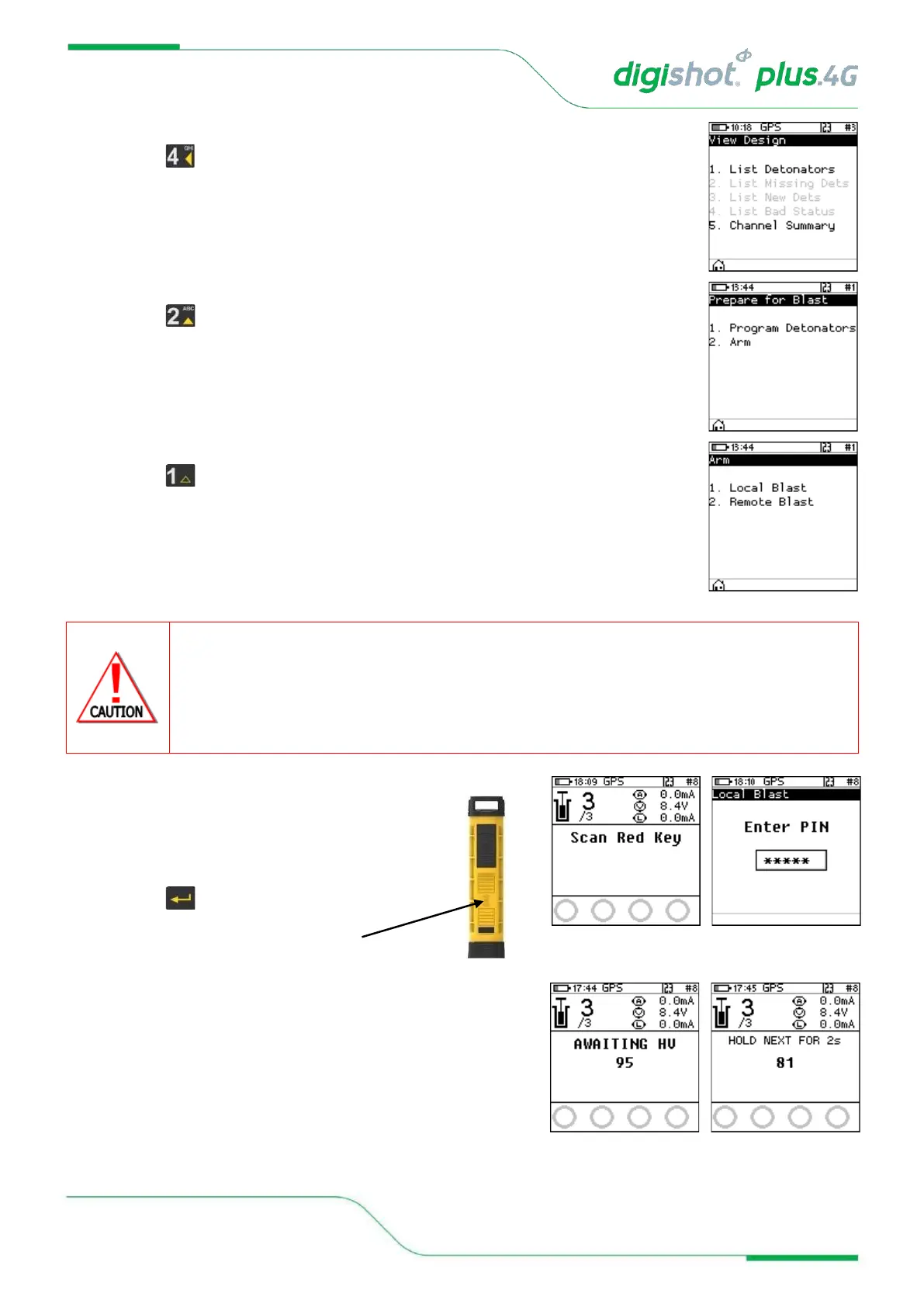
5. Check Blast Design
• Press from main Menu to view Design to view
6. Prepare for Blast
• Press button to select Arm.
7. Arm
• Press button to select Local Blast
ARM AND FIRE COMMANDS FOR DETONATORS WILL NOT INITIALLY BE KNOWN TO THE DIGISHOT
®
PLUS 4G
COMMANDER AT POWER ON. THESE COMMANDS ARE ONLY AVAILABLE FROM THE BLASTING (RED)
BLASTCARD AND WILL BE ISSUED TO THE DIGISHOT
®
PLUS 4G COMMANDER WHEN NECESSARY, EITHER
DIRECTLY FROM THE RED BLASTCARD (IN CASE OF A LOCAL BLAST) OR REMOTELY FROM THE BASE
COMMANDER. ARM AND FIRE BLASTING COMMANDS WILL BE ERASED FROM THE COMMANDER MEMORY
AFTER USE.
8. Local Blast
• User will be prompted to Scan Key
• Scan the Red BlastCard at the back of the
DigiShot
®
Plus 4G Commander
• Enter the associated PIN
• Press to continue.
• The screen will alternate between displaying awaiting high
voltage and prompting the User to press next.
• The time displayed indicates the time remaining to press
next before it ‘disarms’.



 To Next Page