UTM-00339 | Rev 19
Page 67 of 253
DetNet South Africa Copyright © 2021
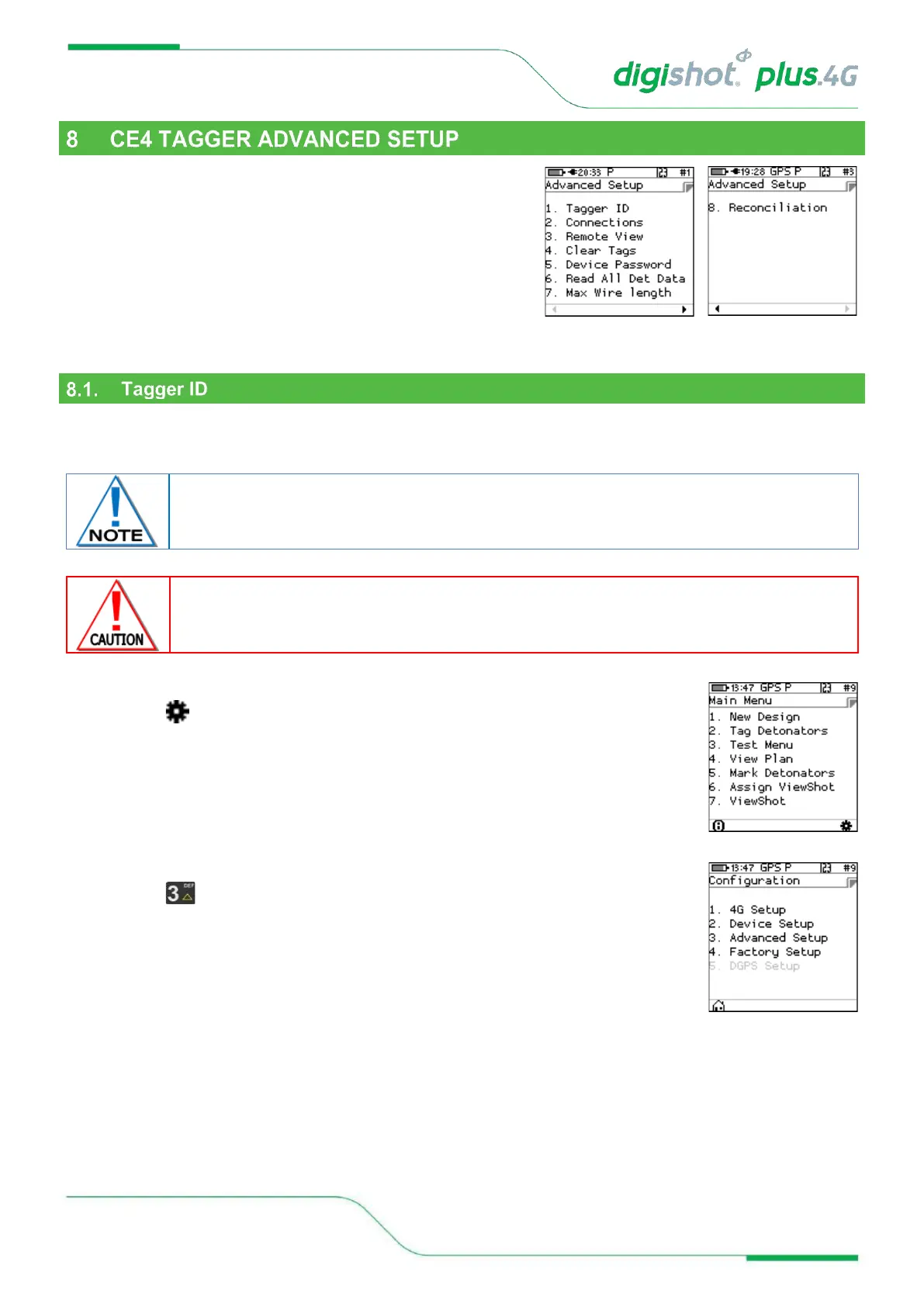
The Advanced Setup Menu displays the following options:
1. Tagger ID
2. Connections
3. Remote View
4. Clear Tags
5. Device Password
6. Read all det data (trouble shooting option)
7. Max Wire Length
8. Reconciliation
This function enables the user to set a unique Tagger ID that is used for device identification and RF
communication. The Tagger ID should be unique amongst all Taggers at a site. IDs from 1 to 10 are supported.
1. Main Menu
• Press SoftKey to select Configuration Settings.
2. Configuration Settings Menu
• Press to select Advanced Setup.
The current CE4 Tagger ID is displayed on the right side of the top bar on the screen (#1 in
the screen depicted below).
WHEN USING MULTIPLE TAGGERS ON THE SAME BLAST, ENSURE THAT TAGGER IDS ARE UNIQUE AS
TAGGERS USING THE SAME ID WILL CAUSE ERRORS ON THE BLAST.



 To Next Page