UTM-00339 | Rev 19
Page 209 of 253
DetNet South Africa Copyright © 2021
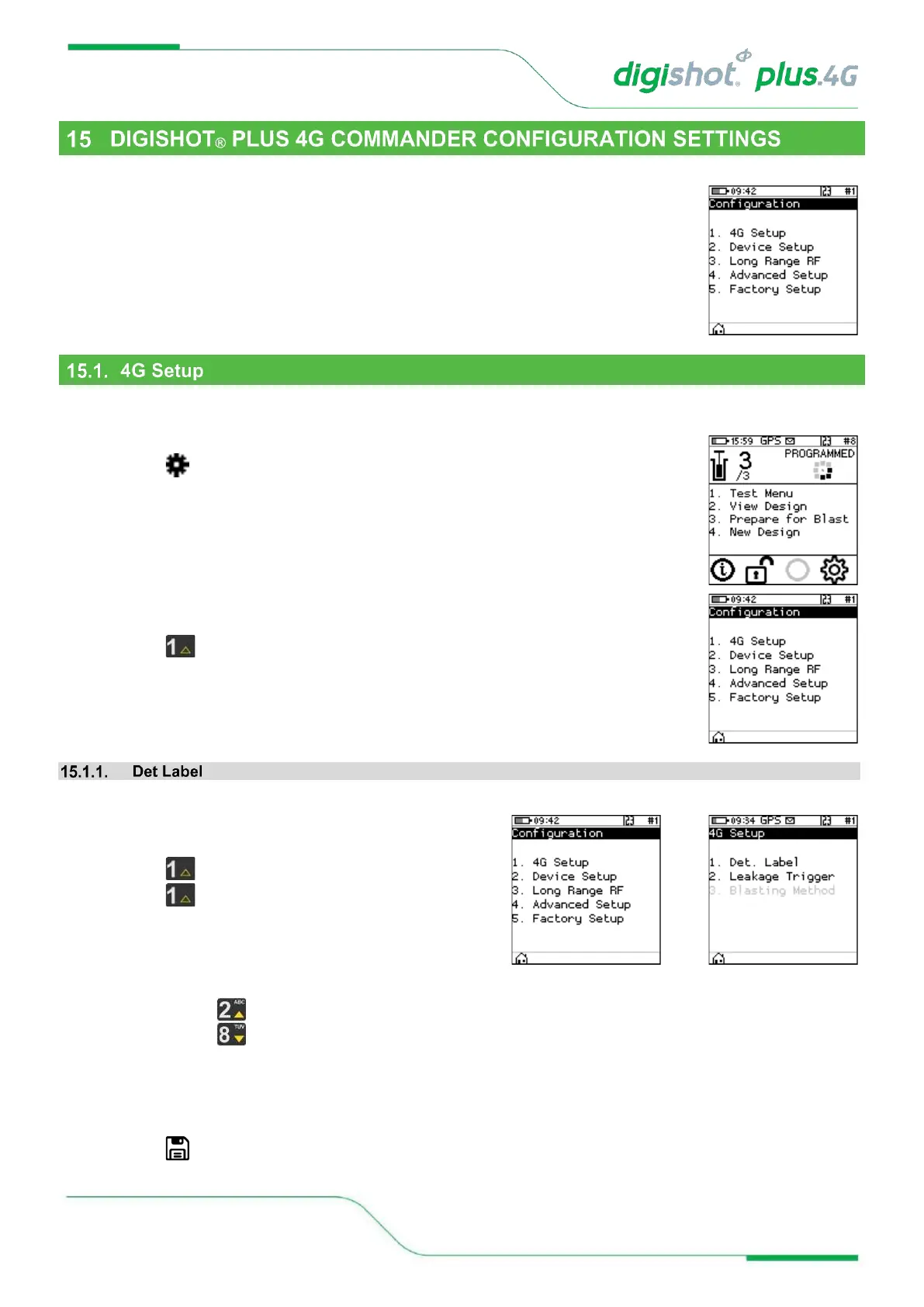
The configuration menu presents a variety of informational screens and configurable options for the following:
1. 4G Setup
2. Device Setup
3. Long Range RF
4. Advanced Setup
5. Factory Setup.
The 4G Setup menu will allow the user to set the det labelling that was used when tagging to ensure that the
Commander is able to interpret the locations tagged on the detonators.
1. Main Menu
• Press to select Configuration
2. Configuration Menu
• Press to select 4G Setup
The Det label configuration defines how the hole (det) is referred to throughout the system.
1. Configuration Menu
• Press to select 4G Setup
• Press to select Det. label
2. Det. Label
Use numerical keys to toggle between the different Det. Label options. The following choices are available:
• Row number, hole number, det number
• Literal row, hole number, det number
• Hole Number, det number
• Numeric sequence (used internally in basic mode)*
• Press Softkey to save



 To Next Page