UTM-00339 | Rev 19
Page 200 of 253
DetNet South Africa Copyright © 2021
• Press to return to main menu.
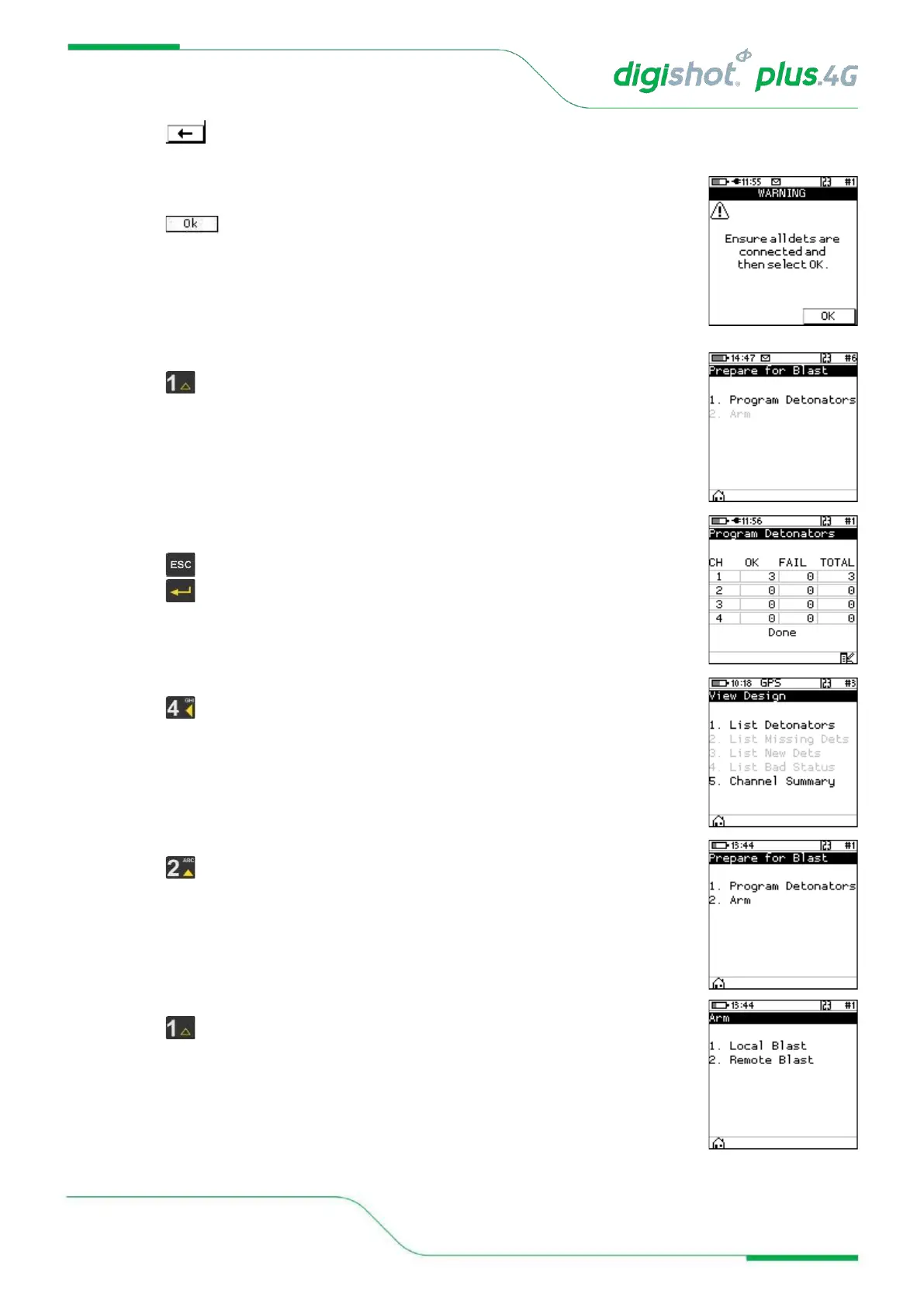
3. Should the user have opted to select the last det automatically, a warning will be
displayed to ensure that all dets are connected before proceeding to programming.
• Press to continue.
4. Prepare for Blast
• Press Key to select Program Detonators.
5. Program Detonators
• Detonators will be programmed.
• Press button to return to Prepare for Blast Menu.
• Press to continue.
6. Check Blast Design
• Press from main Menu to view Design to view.
7. Prepare for Blast
• Press button to select Arm.
8. Arm
• Press button to select Local Blast.



 To Next Page