UTM-00339 | Rev 19
Page 66 of 253
DetNet South Africa Copyright © 2021
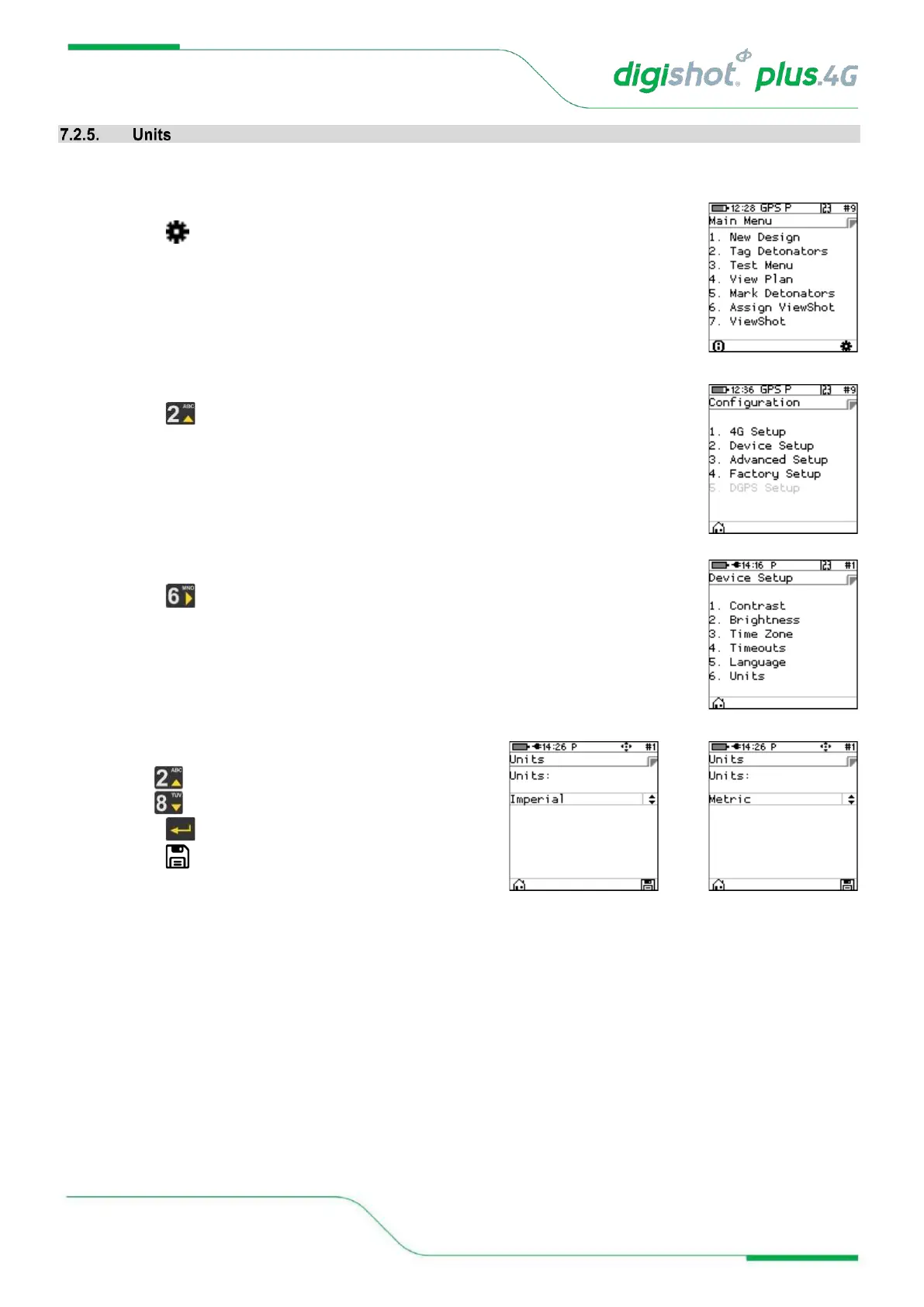
This function enables the user to select either the Imperial or Metric Units of Measure as preferred.
1. Main Menu
• Press SoftKey to select Configuration Settings.
2. Configuration Settings Menu
• Press to select Device Setup.
3. Device Setup
• Press to select Units.
4. Units
• Use navigational keys to toggle selection.
• Press to select either Imperial or Metric.
• Press SoftKey to save.



 To Next Page