UTM-00339 | Rev 19
Page 192 of 253
DetNet South Africa Copyright © 2021
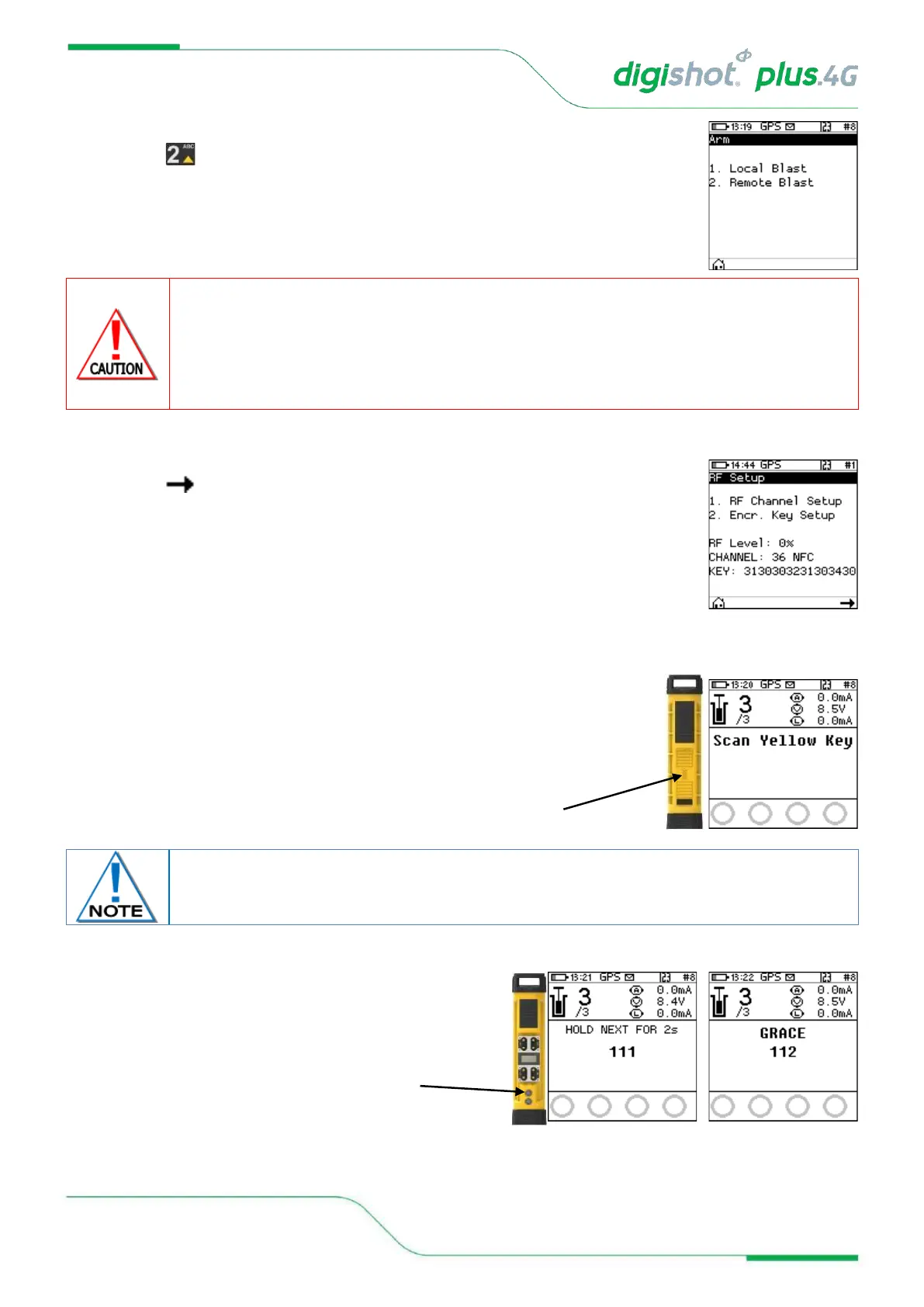
20. Arm
• Press button to select Remote Blast
ARM AND FIRE COMMANDS FOR DETONATORS WILL NOT INITIALLY BE KNOWN TO THE DIGISHOT
®
PLUS
4G COMMANDER AT POWER ON. THESE COMMANDS ARE ONLY AVAILABLE FROM THE BLASTING (RED)
BLASTCARD AND WILL BE ISSUED TO THE COMMANDER WHEN NECESSARY, EITHER DIRECTLY FROM THE
RED BLASTCARD (IN CASE OF A LOCAL BLAST) OR REMOTELY FROM THE BASE DIGISHOT
®
PLUS 4G
COMMANDER. ARM AND FIRE BLASTING COMMANDS WILL BE ERASED FROM THE COMMANDER MEMORY
AFTER USE.
21. Remote Blast
• Press SoftKey to initialise RF communication
• User may change RF settings by selecting corresponding numbers. Refer to 15.3
for detailed RF settings procedure.
22. Remote Blast
• User will be prompted to Scan Key
• Scan the Yellow BlastCard at the back of the DigiShot
®
Plus 4G Commander
23. Remote Blast
• Press and hold the NEXT button on the front
of the DigiShot
®
Plus 4G Commander for 2 seconds
• The DigiShot
®
Plus 4G Commander will initiate a Grace
period of 2 minutes.
Yellow NFC card must be from the same group as Red NFC card for RF communication to
take place.



 To Next Page