UTM-00339 | Rev 19
Page 174 of 253
DetNet South Africa Copyright © 2021
The Test Menu will allow the user to perform the following tests:
1. Test All,
2. Leakage Test,
3. Untagged Test.
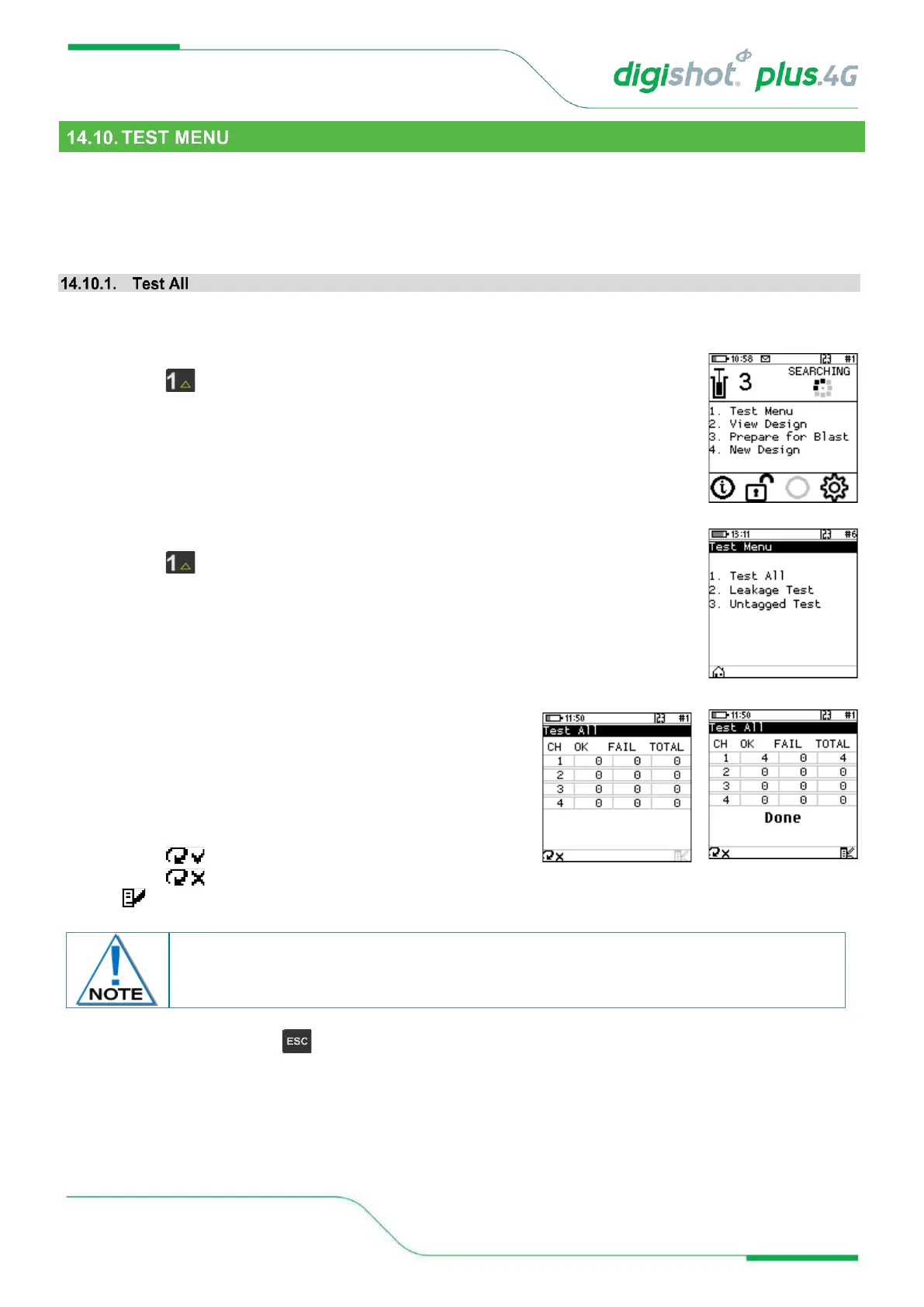
From the test menu, the user will have the option to test all the detonators known to the DigiShot
®
Plus 4G
Commander to check if they are still connected to the Harness wire
1. Main Menu
• Press SoftKey to select Test Menu.
2. Test Menu
• Press SoftKey to select Test All.
3. Test All
• DigiShot
®
Plus 4G Commander will test all known
detonators
• Done will be displayed when test all is complete.
4. User may use the following SoftKeys:
• Press SoftKey to continuously repeat test.
• Press SoftKey to stop continuously repeating test
• to View Design
Failures are detonators that are known to the Commander but have not responded to the
test command. These detonators might not be connected to the harness for example.



 To Next Page