UTM-00339 | Rev 19
Page 217 of 253
DetNet South Africa Copyright © 2021
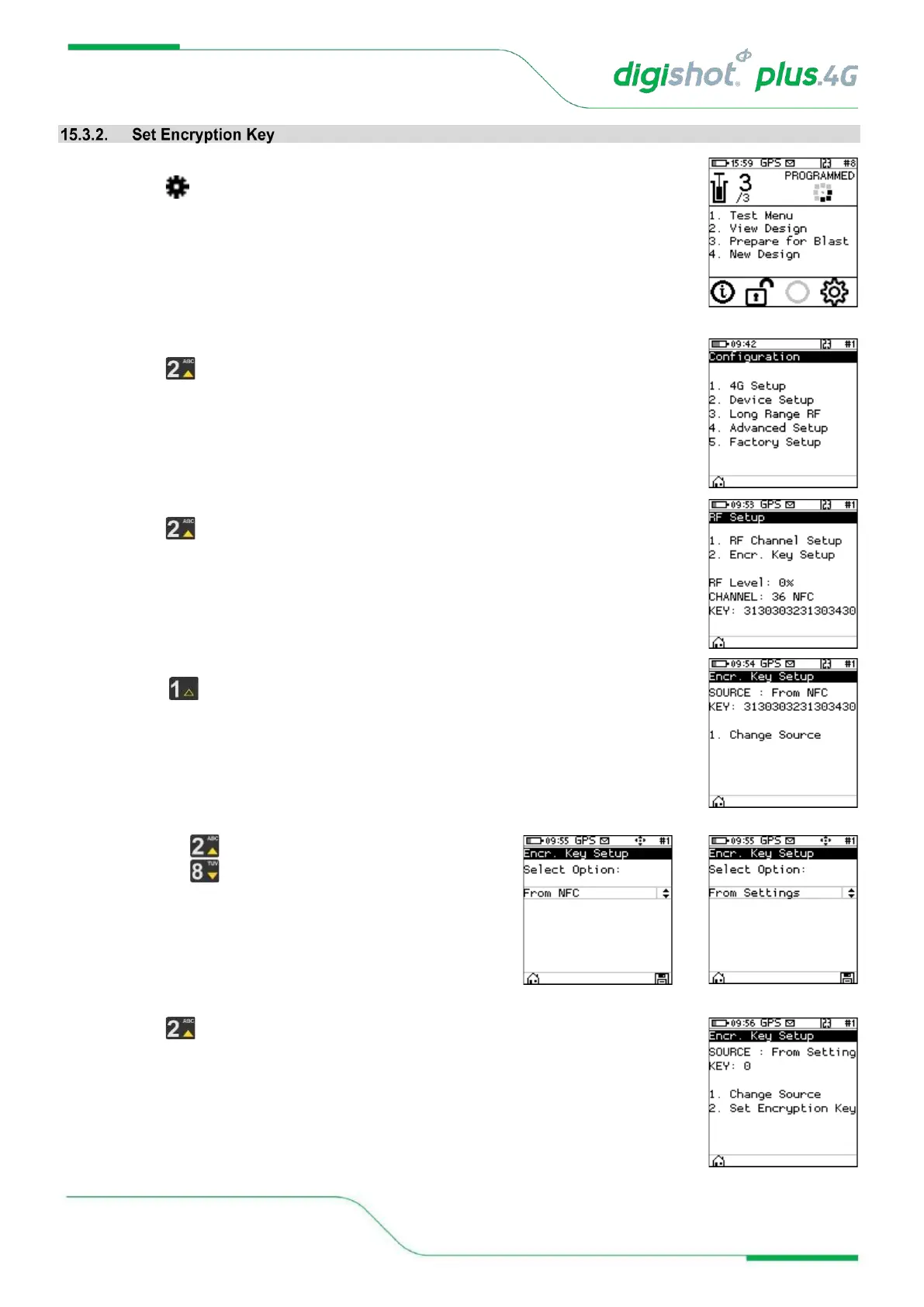
1. Main Menu
• Press to select Configuration
2. Configuration Menu
• Press to select Long Range RF
3. RF Setup
• Press to select Encryption Key Setup
4. Encryption Key Setup
• Select to change source
• The current source will be displayed at the top of the screen
• Use keys to toggle between From NFC and From
Settings
• Press to manually set RF Channel if source is From Settings



 To Next Page