UTM-00339 | Rev 19
Page 226 of 253
DetNet South Africa Copyright © 2021
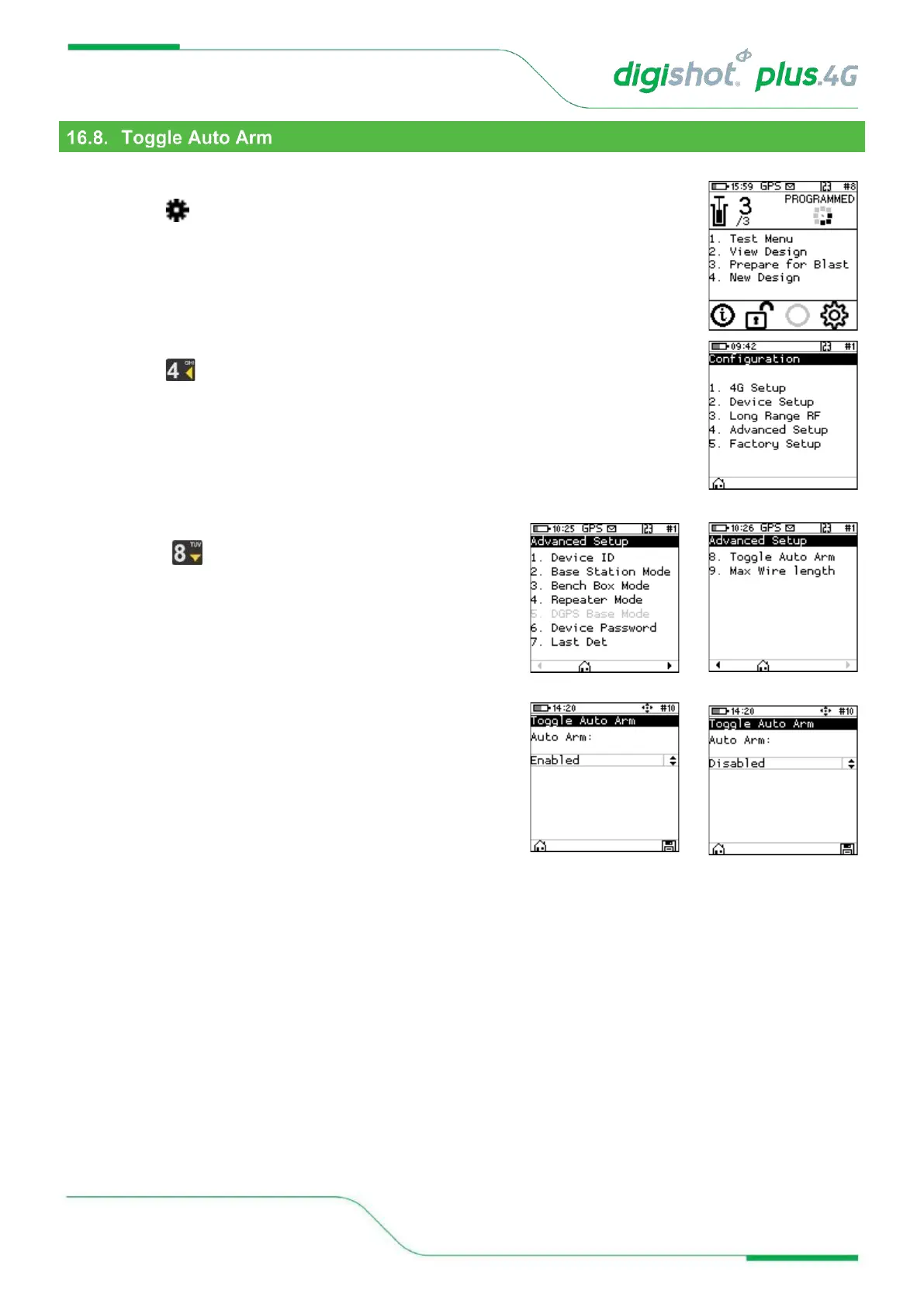
This function enables the user to enable arming automatically or manually.
1. Main Menu
• Press to select Configuration
2. Configuration Menu
• Press to select Advanced Setup
3. Advanced Setup
• Press to select Toggle Auto Arm
4. Toggle Auto Arm
User may select to:
• Enable – this will allow user to read the information (RF
encryption key and RF channel) stored on the NFC cards
when in idle mode and arming the Bench Commander
when it is ready to blast.
• Disable – this will only allow the user to arm the Bench
Commander manually.



 To Next Page