UTM-00339 | Rev 19
Page 62 of 253
DetNet South Africa Copyright © 2021
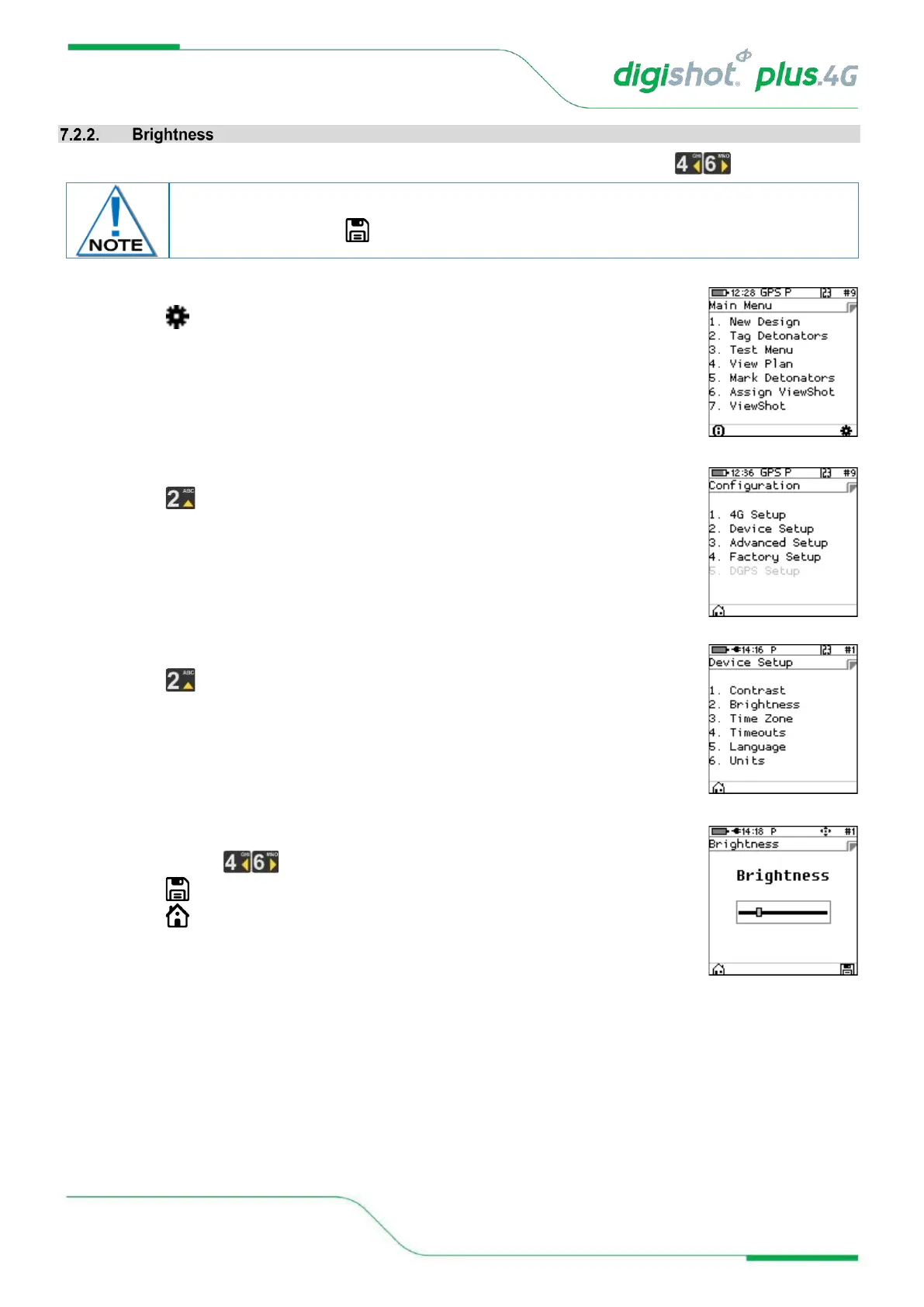
The Brightness menu allows the LCD screen display brightness to be adjusted using the arrow keys.
1. Main Menu
• Press SoftKey to select Configuration Settings.
2. Configuration Settings Menu
• Press to select Device Setup.
3. Device Setup
• Press to select Brightness.
4. Adjusting the Brightness
• Use the arrow keys to adjust brightness.
• Press SoftKey to save.
• Press SoftKey to return to Main Menu.
The Brightness adjusts as the value changes but the setting will only be saved
permanently when the SoftKey is pressed.



 To Next Page