DG-BG4100NU User Manual
62
4.4.1.15 Advanced
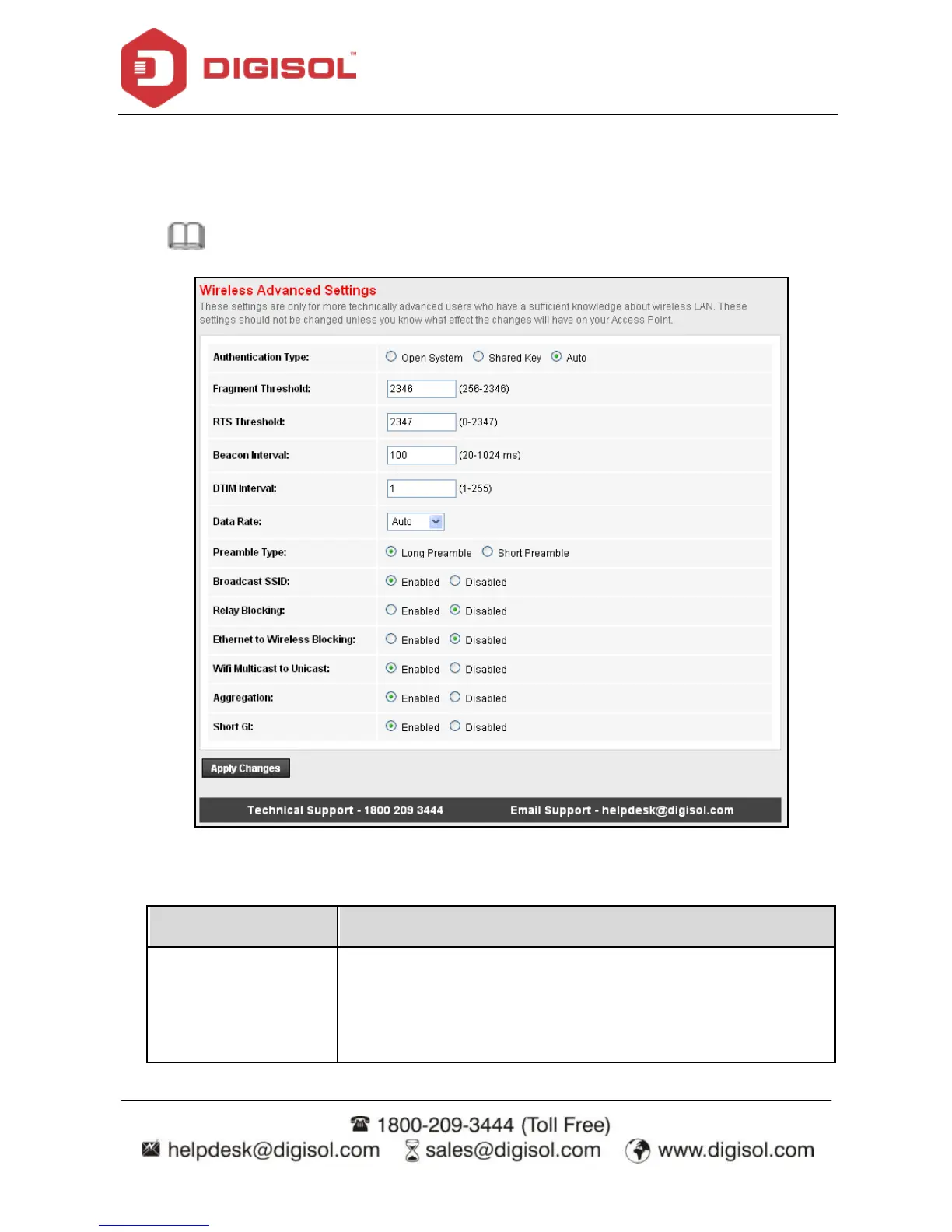
Choose WLAN > Advanced and the following page appears. In this page, y ou can configure
the wireless advanced parameters. It is recommended to use the default parameters.
Note: The parameters in the Advanced link are modified by the professional
personnel, it is recommended to keep the default values.
The following table describes the parameters of this page:
Select the router operating in the open system or encry ption
authentication. You can choose Open System, Shared Key, or
Auto.
In the open system, the wireless client can directly connect



 To Next Page