EasyManua.ls Logo

Digisol DG-BG4100NU - Page 69

Digisol DG-BG4100NU
132 pages
Print Icon
To Next Page IconTo Next Page
To Previous Page IconTo Previous Page
Loading...
DG-BG4100NU User Manual
69
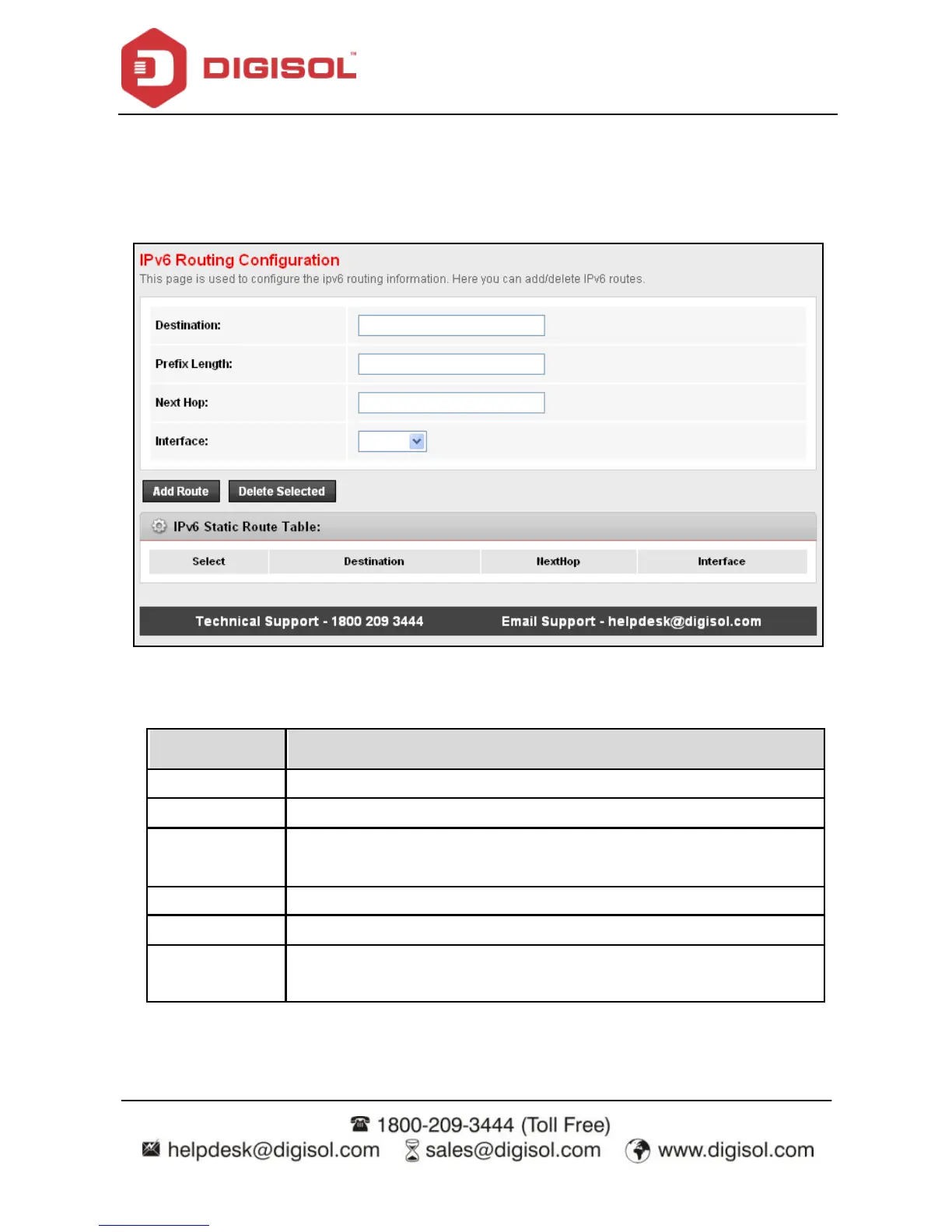
4.5.1.2 IPv6 Static Route
Click IPv6 Static Route in the left pane, and the page shown in the following figure appears.
This page is used to conf igure the routing information. You can add or delete IP routes.
a)
The f ollowing table describes the parameters and buttons of this page.
Field
Description
Destination
Enter the IPv6 address of the destination device.
Prefix Length
Enter the prefix length of the IPv6 address.
Next Hop
Enter the IP address of the next hop in the IPv 6 route to the
destination address.
Interf ace
The interf ace f or the specif ied route.
Add Route
Click it to add the new static route to the IPv6 Static Route Table.
Delete
Selected
Select a row in the IPv 6 Static Route Table and click it to delete the
row.

Related product manuals