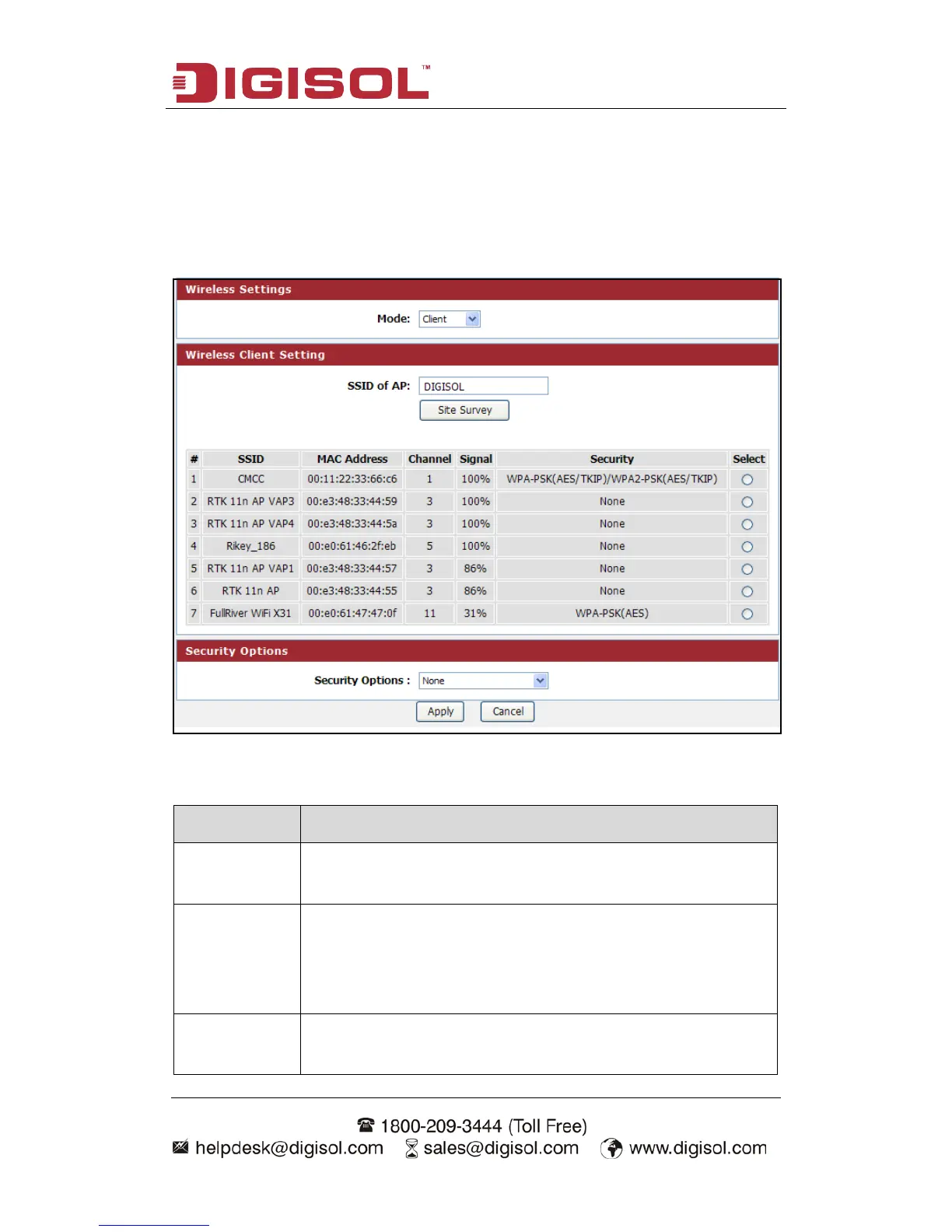
Setup procedure for Client:
In this mode, you can connect the router to Ethernet devices such as TV, Game
player, HDD & DVD to enable the Ethernet device to be a wireless station and join to
a wireless network through an access point or AP router.
Here is the description of every setup item:
Parameter Description
SSID of AP This is the name of wireless network. Input the SSID name that
your wireless ISP has provided you with.
Site Survey Click ‘Site Survey’ button, then a “Wireless Site Survey Table”
will pop up. It will list all available access points nearby. Select
the access point designated by your wireless ISP in the table and
the router will join wireless network through this access point.
Security
Options
If the access point enables wireless security, you have to follow
the same settings in order to access the access point.



 To Next Page