Chapter 2
Page 6
Monitor Description
Note: This video output does not include menu overlays or messages.
•
SUBWOOFER - Provides non-amplified lower bass audio signals to a
subwoofer.
Note: If you have connected a subwoofer, make sure you set the
Subwoofer option in the Sound Menu to External. See page 14 for
instructions.
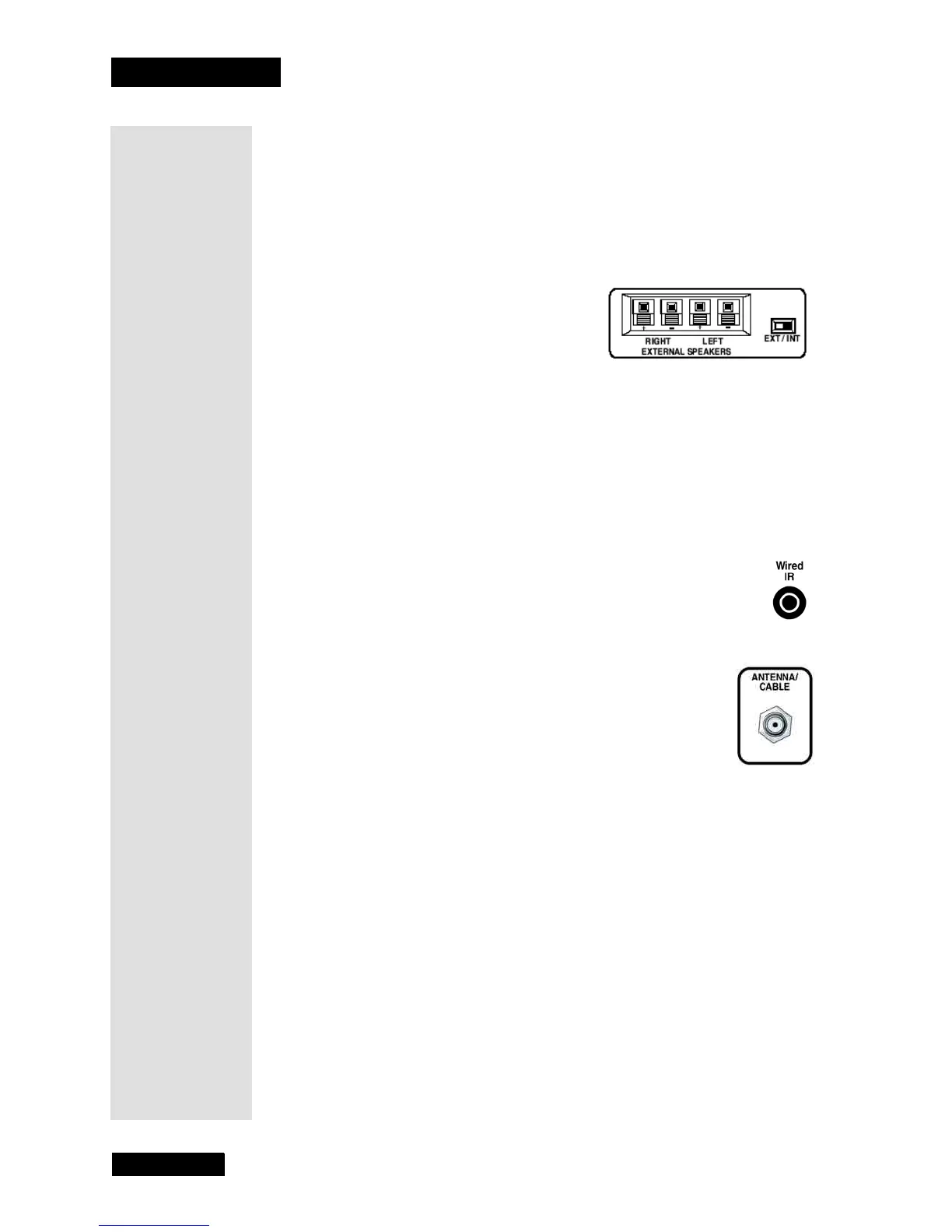
External Speakers (Optional)
• RIGHT and LEFT EXTERNAL SPEAKERS -
Provides amplified stereo signals to
external left and right speakers.
Note: Connected speakers should be 8
ohms with 10 watts maximum power
rating per speaker.
Note: External speakers must be
purchased separately.
• EXT/INT (switch) - Lets you turn the monitor’s internal speakers on or
off. EXT sends audio to external speakers only. INT sends audio to the
monitor’s internal speakers only.
Wired IR
This jack is for connecting a wired remote control system, which
is primarily for professional installers. If you’re using the remote
that was included with your TV, don’t plug anything into this jack.
Antenna/Cable (Capped)
Connect an antenna to receive the signal from an off-air
antenna.
Note: For the best viewing experience, you should use the off-
air tuner provided in your DISH DVI-equipped DISH Network
satellite receiver. The satellite receiver’s off-air tuner can
receive both analog and digital off-air broadcasts, integrates
off-air programming into its Electronic Program Guide, and
allows all of the satellite and off-air programming to be viewed
over a single high-quality digital connection.



 To Next Page