Page 5
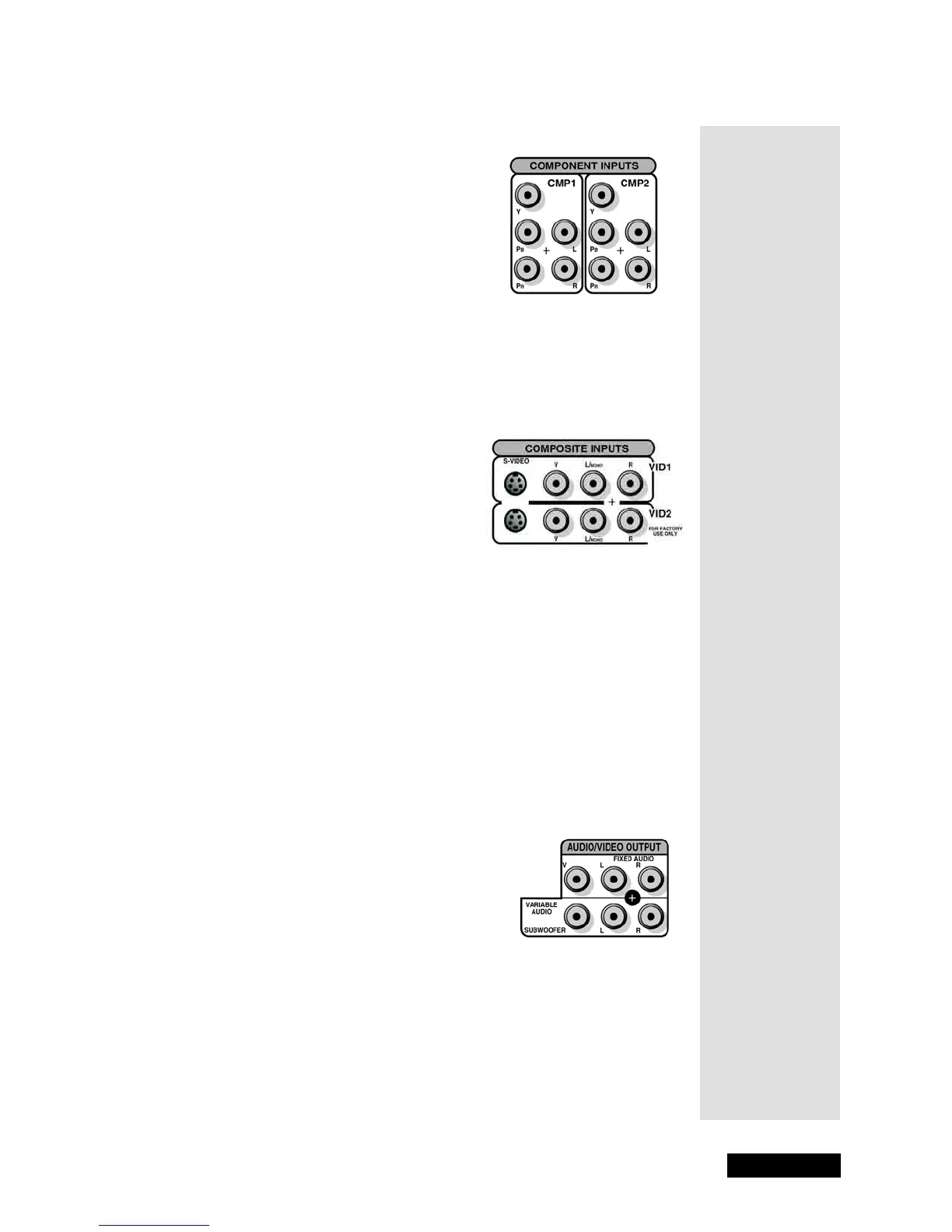
Monitor Back Panel
Component Inputs
Connect a component video source, such as
a DVD player, to
CMP1 or CMP2. For
information on how to display video from
this input, see page 9.
•
Y-P
B
-P
R
(Component Video) - Provides
optimum picture quality because the
video is separated into three signals:
Y
(green), P
B
(blue), and P
R
(red).
•
L/MONO and R (RCA-type audio) - Provides left (white) and right (red)
audio connections when using
COMPONENT INPUTS.
Composite Inputs
Connect another device, such as a VCR or
DVD player, to
VID1 or VID2. For
information on how to display video from
this input, see page 9.
•
S-VIDEO - Provides better picture quality
than the RCA-Type Video (yellow)
connections because the color part of the
signal is separated from the brightness
part of the picture.
•
V (RCA-Type Video) - The yellow input provides video connection.
Note: Do not try to use the S-VIDEO and VIDEO IN at the same time
because the two signals interfere with each other.
•
L/MONO and R (RCA-type audio) - Provides left (white) and right (red)
audio connections when using either composite video connection
above.
Audio/Video Outputs
Connect an amplifier, audio receiver, or
external video monitor.
•
FIXED AUDIO L/R - Provides fixed-level
audio output from the monitor. This audio
output is ideal for connecting to an
audio/video (A/V) receiver when you
want to control the volume through the
A/V receiver.
•
VARIABLE AUDIO L/R - Provides variable-level audio output. Volume
levels are controlled by the volume controls on the monitor and remote
control.
•
V (RCA-Type Video) - Provides composite video connection.



 To Next Page