Chapter 3
Page 16
Using the Monitor’s Features
Sound Logic
Reduces the annoying blasts in volume during commercial breaks, and
also amplifies softer sounds in program material. Eliminates the need to
constantly adjust the volume.
Dynamic Bass
Enhances your TV's low-frequency response. The options are Off, Medium
and
High.
Headphone Settings
Press the LEFT and RIGHT ARROWS to pick among the following
adjustable headphone settings:
Volume, Bass and Treble. The Headphone
sound option allows you to choose
Stereo, Mono or Automatic. These
descriptions are same as
sound type above.
Note: Mono and Automatic are available only when using ANTENNA/CABLE
input.
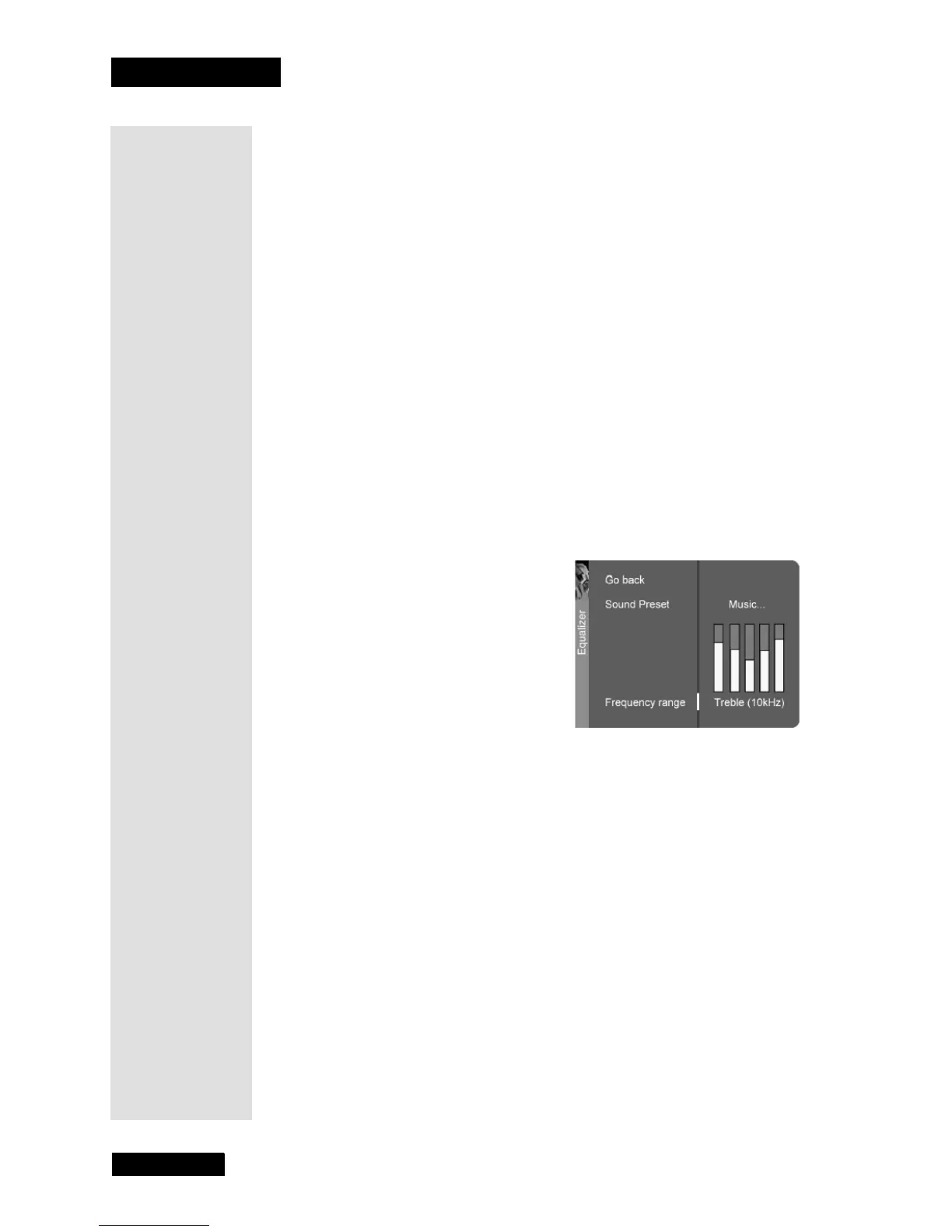
Graphic Equalizer
The Graphic Equalizer allows you to choose a specific setting through the
Sound Preset option. Press the LEFT and RIGHT ARROWS to cycle
through the options:
Standard, Movie, Voice, Music, Flat, Videogame,
Video Camera, and Personal.
The
Frequency range displays the different treble and bass bands set for
each
Sound Preset option. You can choose a band and make adjustments.
When you make adjustments, the
Sound Preset option automatically
changes to
Personal. Press the LEFT and RIGHT ARROWS button to
select the frequency (
Bass 100Hz, Mid Bass 500Hz, Medium 1.5kHz, Mid
Treble 5kHz
, Treble 10kHz) you want to adjust. Then use the UP or DOWN
ARROW button to adjust the decibel.
To view the
Frequency range of another Sound Preset option, press the
LEFT and RIGHT ARROWS until no band is selected and
Frequency
range
is highlighted. Then press the UP or DOWN ARROW to highlight
Sound Preset.
Tip: Remember
to keep the
remote control in
TV mode to use
these buttons.
Tip: See page 9
for an easy way
to adjust the
headphone
volume.



 To Next Page