Chapter 3
Page 26
Using the Monitor’s Features
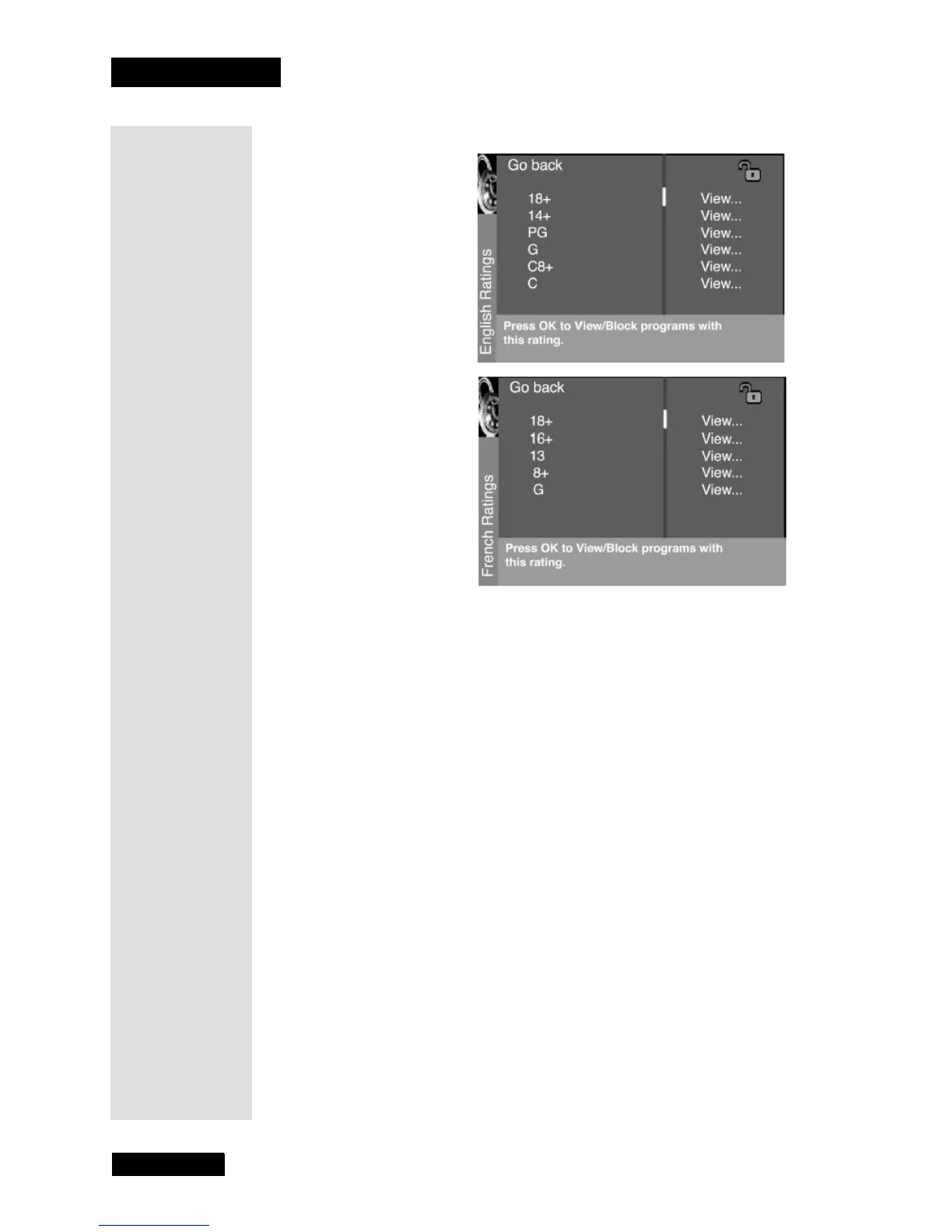
Blocking Canadian V-Chip Ratings
If you receive Canadian programs you can block Canadian English and
French V-Chip by ratings only. When you block a particular rating, you
automatically block the higher rated programs as well. To block Canadian
English and French program ratings:
1. Select
Canada V-Chip from the Parental Control menu.
2. Select
English ratings or French ratings.
3. Determine the rating you want to block.
4. Press the DOWN ARROW button to scroll to the rating you want to
change.
5. Press the SELECT/OK button to change its status to block (the lock
icon appears and all ratings above the one you selected change to lock).
Lock/Unlock Parental Controls
Selecting this option lets you lock and unlock Parental Controls settings
using a password.
If you do not lock
Parental Controls, none of the settings for V-Chip Block
Features
or Front Panel Block will take effect.
Note: If you forget your password, press the MENU button, then select
Parental Control (the password entry screen displays). Simultaneously
press and hold the CH+ and VOL+ on the television for three seconds.
Parental Controls unlock and the Parental Controls menu displays so you
can enter a new password.



 To Next Page