Safety Instructions
Page iv
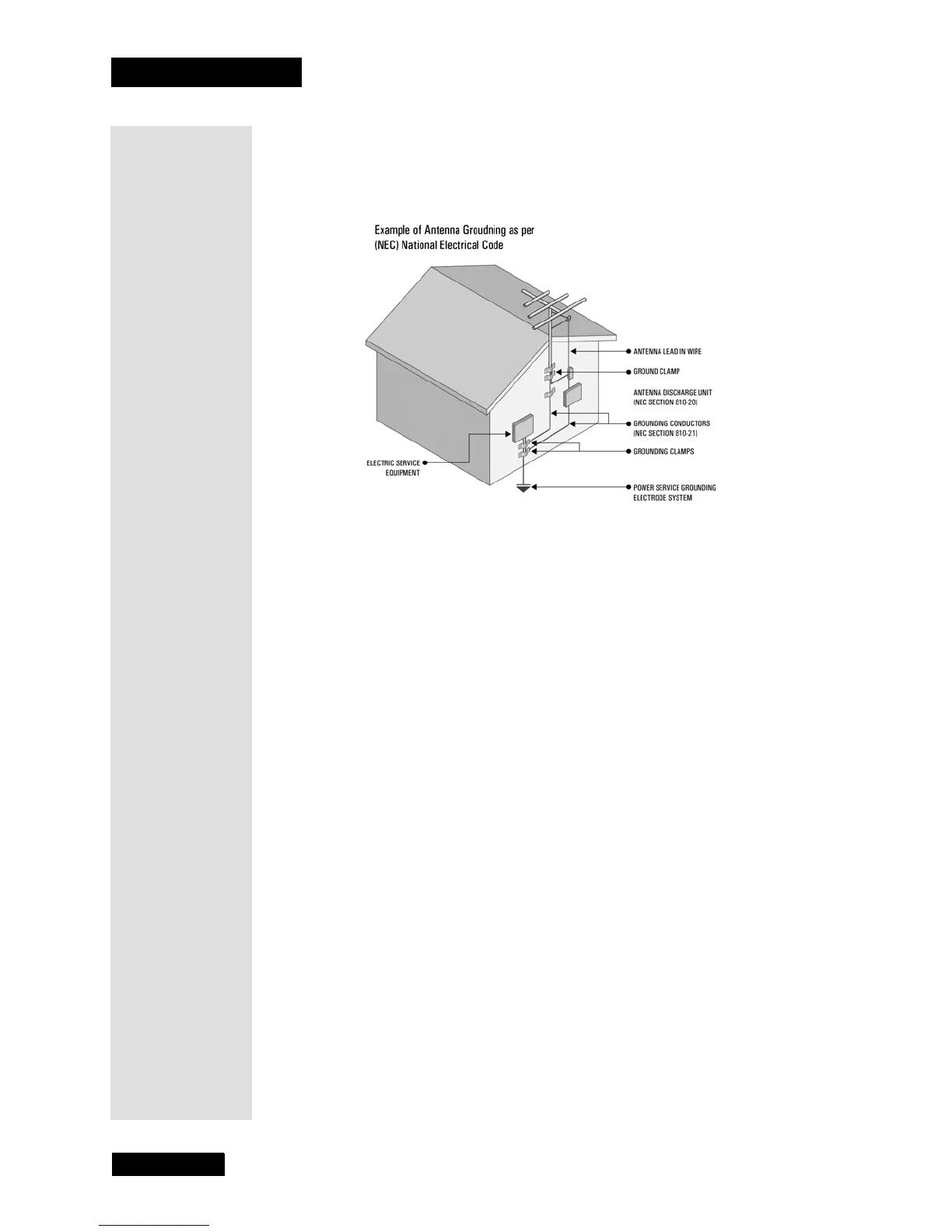
Note to HDTV monitor installer: This reminder is provided to call the satellite
TV system installer’s attention to Article 820-40 of the National Electrical Code
(NEC) that provides guidelines for proper grounding and, in particular, specifies
that the cable ground shall be connected to the grounding system of the building
as close to the point of cable entry as practical.
Safety Tips
• Unplug the monitor from the AC power outlet before cleaning.
• The use of accessories or attachments not recommended by the monitor
manufacturer will void the Limited Warranty.
•Do not place the monitor in an enclosure such as a cabinet without proper
ventilation.
•Do not stack the monitor on top of or below other electronic devices.
• Operate the monitor using only the type of power source indicated on the
marking label. Unplug the monitor power cord by gripping the power plug, not
the cord.
•Do not overload wall outlets or extension cords, as this can result in a risk of
fire or electrical shock.
• Never insert objects of any kind into the monitor through openings, as the
objects may touch dangerous voltage points or short out parts. This could cause
fire or electrical shock.
• Make sure that the outdoor parts of the antenna system are grounded in
accordance with local, state, federal, and National Electrical Code (NEC)
requirements.
•Do not locate the antenna near overhead light or power circuits, or where it can
fall into such power lines or circuits. When installing the antenna, take extreme
care to avoid touching such power lines or circuits, as contact with them can be
fatal.
•Do not attempt to service the monitor yourself, as opening or removing covers
may expose you to dangerous voltage, and will void the Limited Warranty.
Refer all servicing to authorized service personnel.
• Use an outlet that contains surge suppression or ground fault protection. For
added protection during a lightning storm, or when the monitor is left
unattended and unused for long periods of time, unplug the power cord from the
wall outlet and disconnect the lines between the monitor and the antenna. This
will provide some protection against damage caused by lightning or power line
surges.



 To Next Page