SOFT WA RE 4 .1
INTRODUCTION TO PROGRAMMING
YOUR LUXE
®
COMBINES VOICE FEEDBACK with with its OLED display to make electronic adjustment simple. All adjustments are performed with the Luxe
®
turned on, but unloaded and degassed (see HARDWARE 3.3).
Adjustments are made with the trigger and power button when the Luxe
®
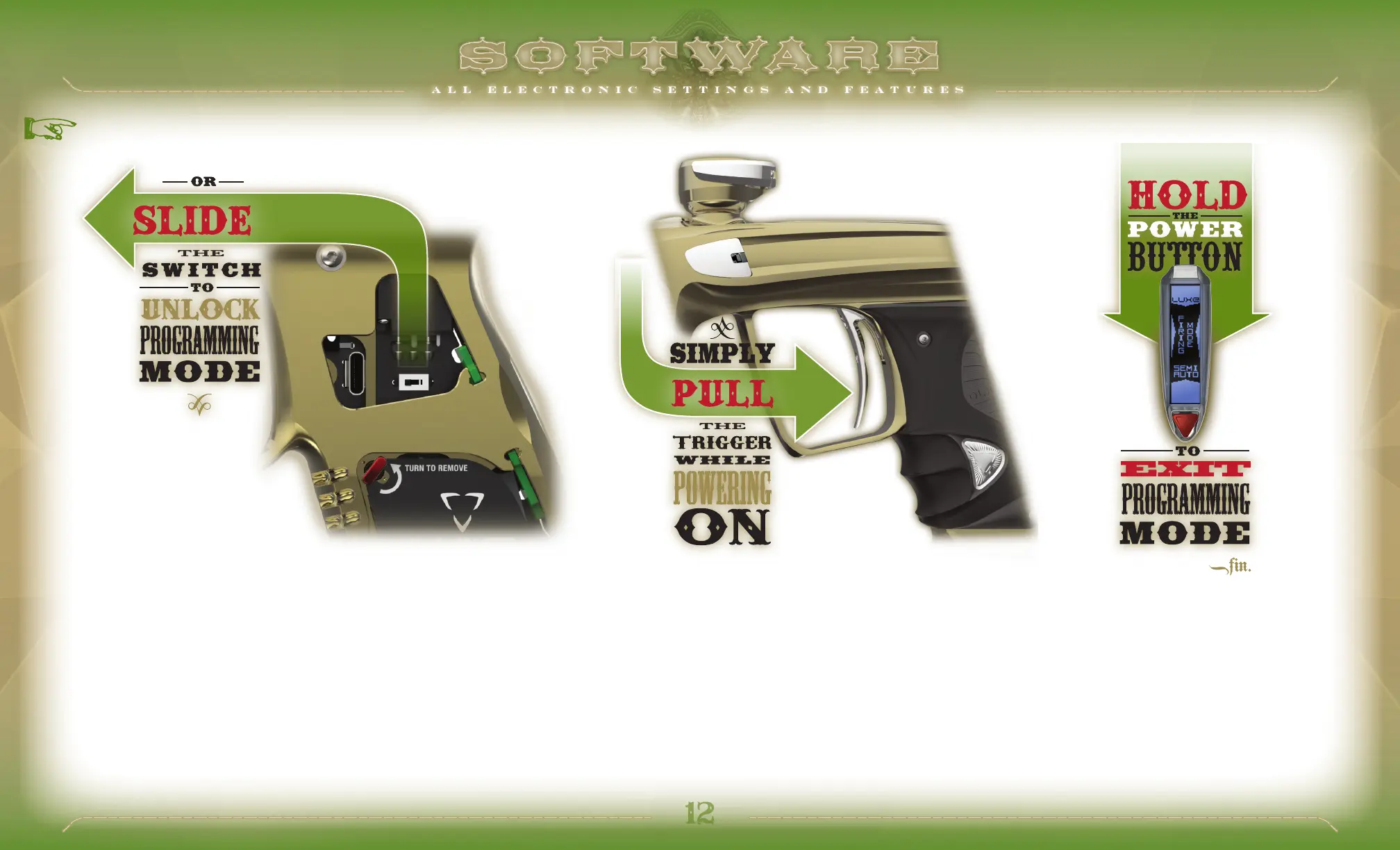
is unlocked. To access the tournament lock switch, pull the rubber grip off of the quick snap grip screws on the left side of the trigger frame. Slide the
tournament lock switch towards the barrel to allow access to the trigger programming menu.
Enter the Luxe
®
programming mode by turning the marker on while holding back the trigger. This will open the Main Menu, which is indicated by voice feedback and tabs which appear at the bottom and sides of the OLED
display.
Pull the trigger to scroll through the available settings, each of which is identified by a verbal response and the OLED display. To make a change, find the desired setting and tap the power button. The Luxe
®
will display the
currently selected value for that sub-menu on its OLED display with “SET” appearing on the bottom tab. Additionally it will speak the current value. Changes may be made to the setting by pulling the trigger to cycle through
the available values. Once a new setting has been chosen (changed dwell setting, new firing mode, etc.) tapping the power button will return to the main menu, allowing other settings to be checked or changed. Press the
power button for approximately 2 seconds to turn off the Luxe
®
and exit programming mode. When programming is complete, re-secure the grip. When the Luxe
®
tournament lock is engaged, programming mode is not
accessible. The Luxe
®
can be locked into any tournament or field legal mode required.
BASIC GUIDE TO THE
LUXE
®
SYSTEM NAVIGATION


 To Next Page