48 Instructions for use | Atlan A100 (XL), A300 (XL), A350 (XL) SW 2.1n
Overview
3.2.7 Display on the screen
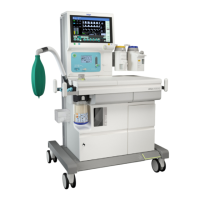
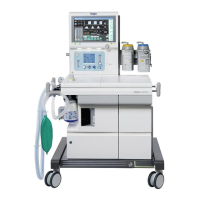
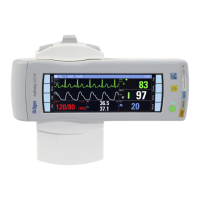
The device can display the following information on the integrated screen:
– Waveforms
– Graphical trends
– Numeric trends
– Loops
– Alarm logbook
– Logbook
– Numeric parameters
– Low-flow wizard
– Econometer
3.2.8 Logbook
The device can capture and store the following data, among other things:
– Measured values
– Set values and related changes
– Patient data
– Ventilation modes
– Events (e.g., alarms, reset alarms, switch-on time and switch-off time)
–Test results
– Gas consumption
– Anesthetic agent consumption
3.2.9 Gas supply
The device can be supplied with up to three medical gases:
3.2.10 Gas scavenging
The gas can be scavenged by means of the following procedures:
– Active anesthetic gas scavenging
– Passive anesthetic gas scavenging
Further information can be found on page 81.
Gas
Central
supply
Gas cylinders
O
2 Yes Permanently mounted Dräger pressure reducer
or
Third-party manufacturer pressure reducer
Air Yes Permanently mounted Dräger pressure reducer
or
Third-party manufacturer pressure reducer
N
2OYes



 To Next Page