Vigor3900 Series User’s Guide
167
H
H
o
o
w
w
t
t
o
o
c
c
r
r
e
e
a
a
t
t
e
e
a
a
n
n
e
e
w
w
I
I
M
M
O
O
b
b
j
j
e
e
c
c
t
t
P
P
r
r
o
o
f
f
i
i
l
l
e
e
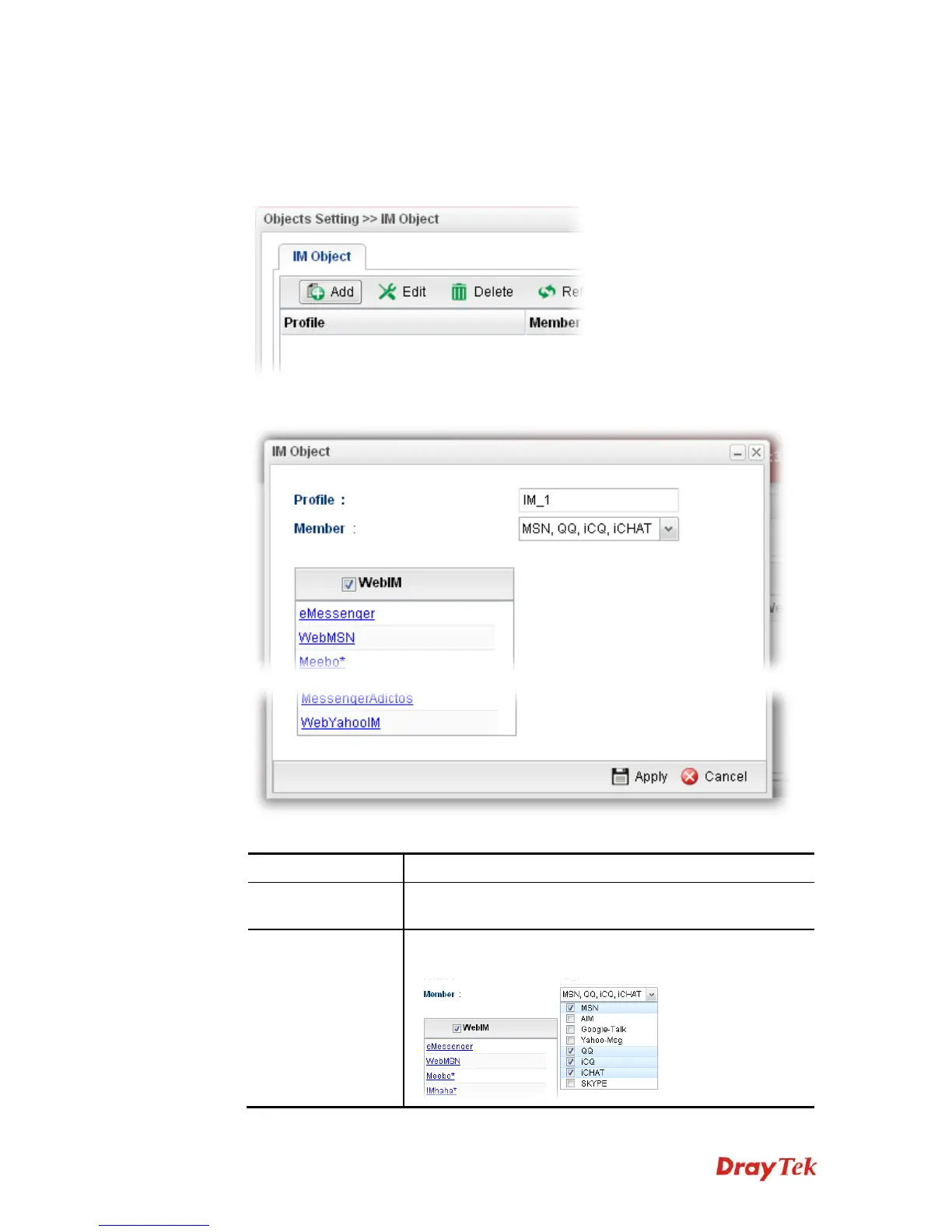
1. Open Objects Setting>>IM Object.
2. Simply click the Add button.
3. The following dialog will appear.
Available parameters are listed as follows:
Item Description
Profile
Type the name of the IM object group. The number of the
characters allowed to be typed here is 10.
Member
Several IM applications offered for you to choose. Check the
one(s) you want to add for such profile.


 To Next Page
 Loading...










