109
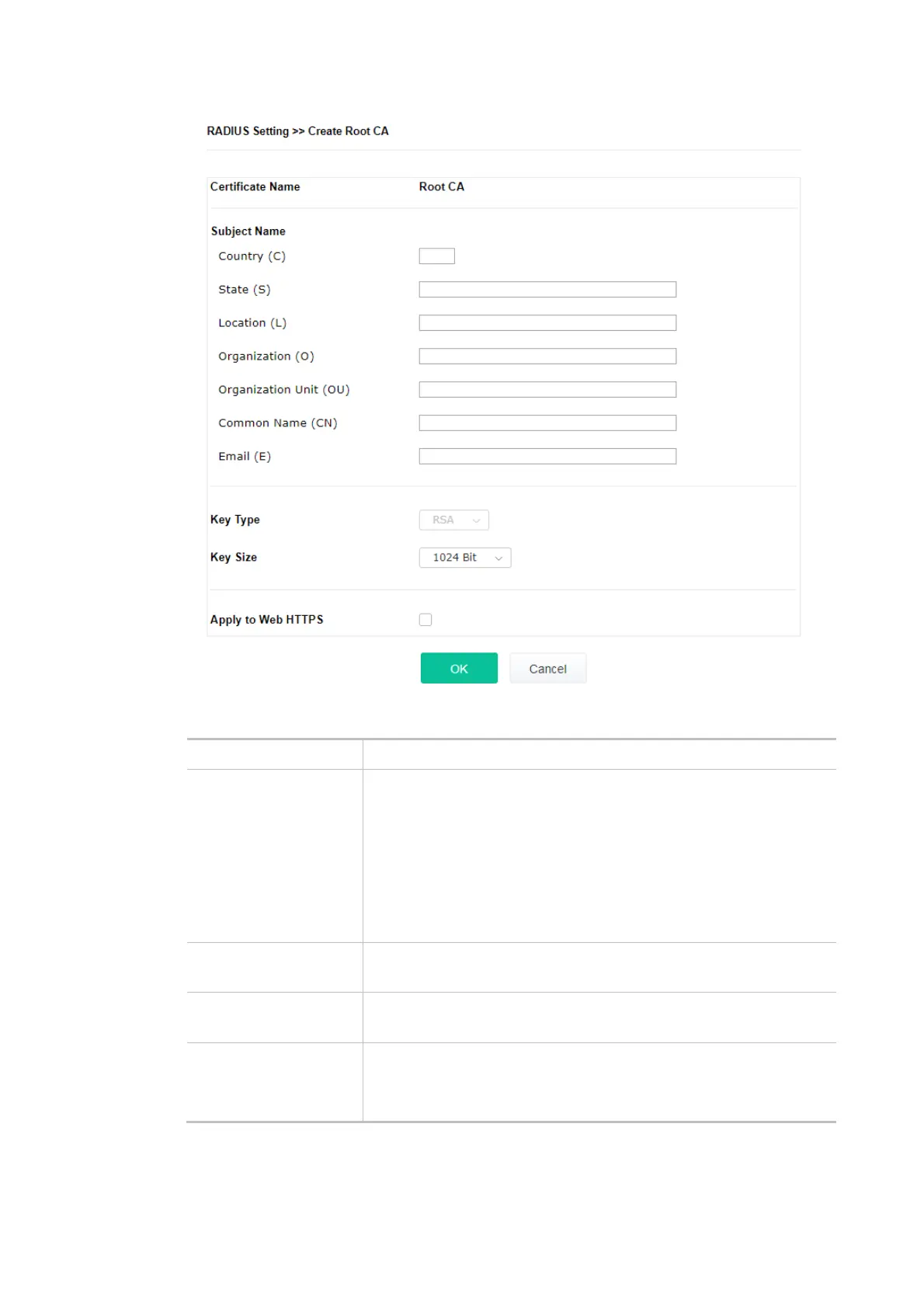
Available settings are explained as follows:
Item Description
Subject Name Type the required information for creating a root CA.
Country (C) – Type the country code (two characters) in this box.
State (S)/ Location (L)/ Organization (O)/ Organization Unit (OU)
/Common Name (CN) - Type the name or information for the root CA
with length less than 32 characters.
Email (E) – Type the email address for the root CA with length less
than 32 characters.
Key Type At present, only RSA (an encryption algorithm) is supported by such
device.
Key Size To determine the size of a key to be authenticated, use the drop down
list to specify the one you need.
Apply to Web HTTPS VigorAP needs a certificate to access into Internet via Web HTTPS.
Check this box to use the user-defined root CA certificate which will
substitute for the original certificate applied by web HTTPS.












 To Next Page