125
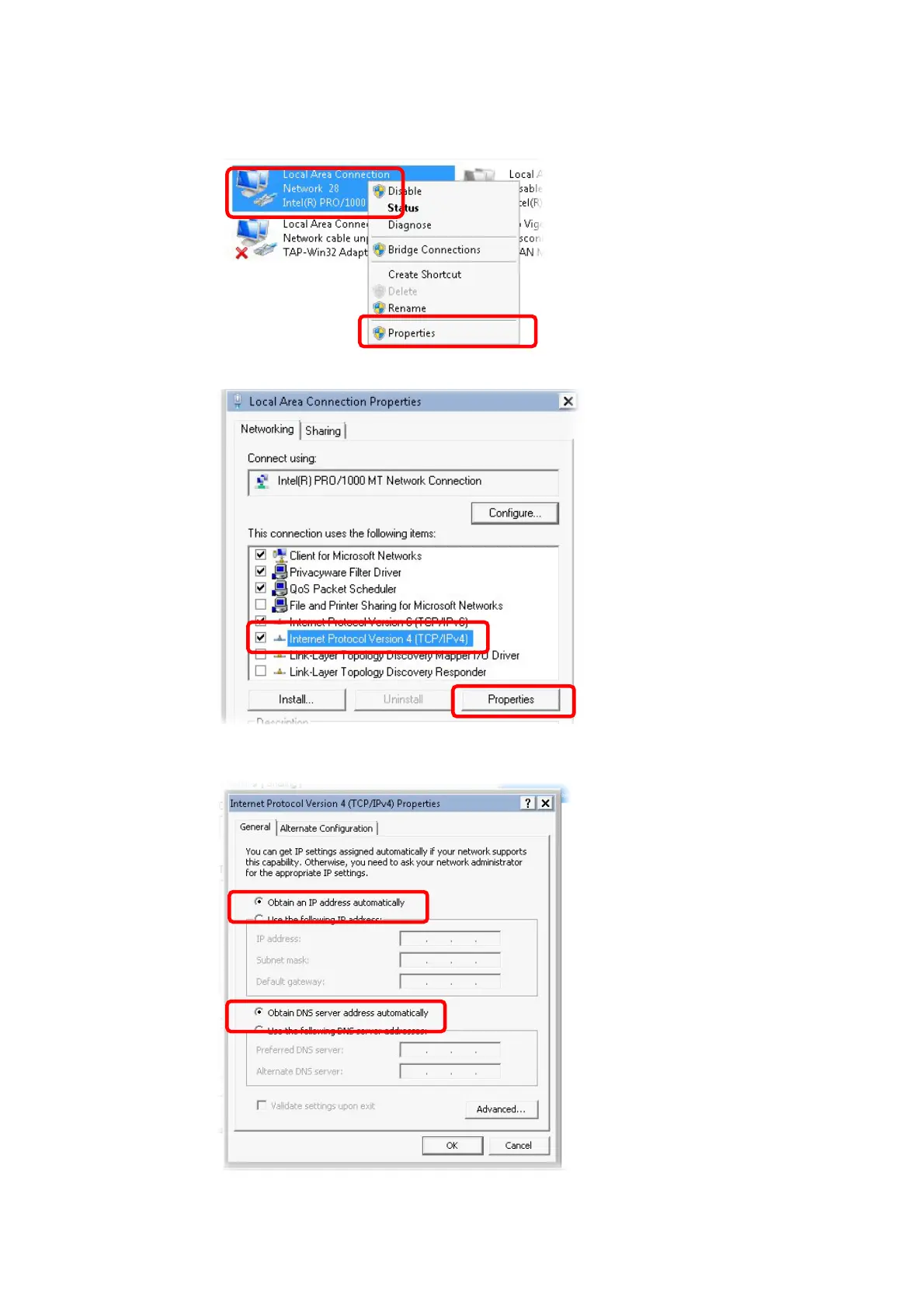
3. Icons of network connection will be shown on the window. Right-click on Local Area
Connection and click on Properties.
4. Select Internet Protocol Version 4 (TCP/IP) and then click Properties.
5. Select Obtain an IP address automatically and Obtain DNS server address
automatically. Finally, click OK.












 To Next Page