61
For the mesh group set within VigorMesh network,
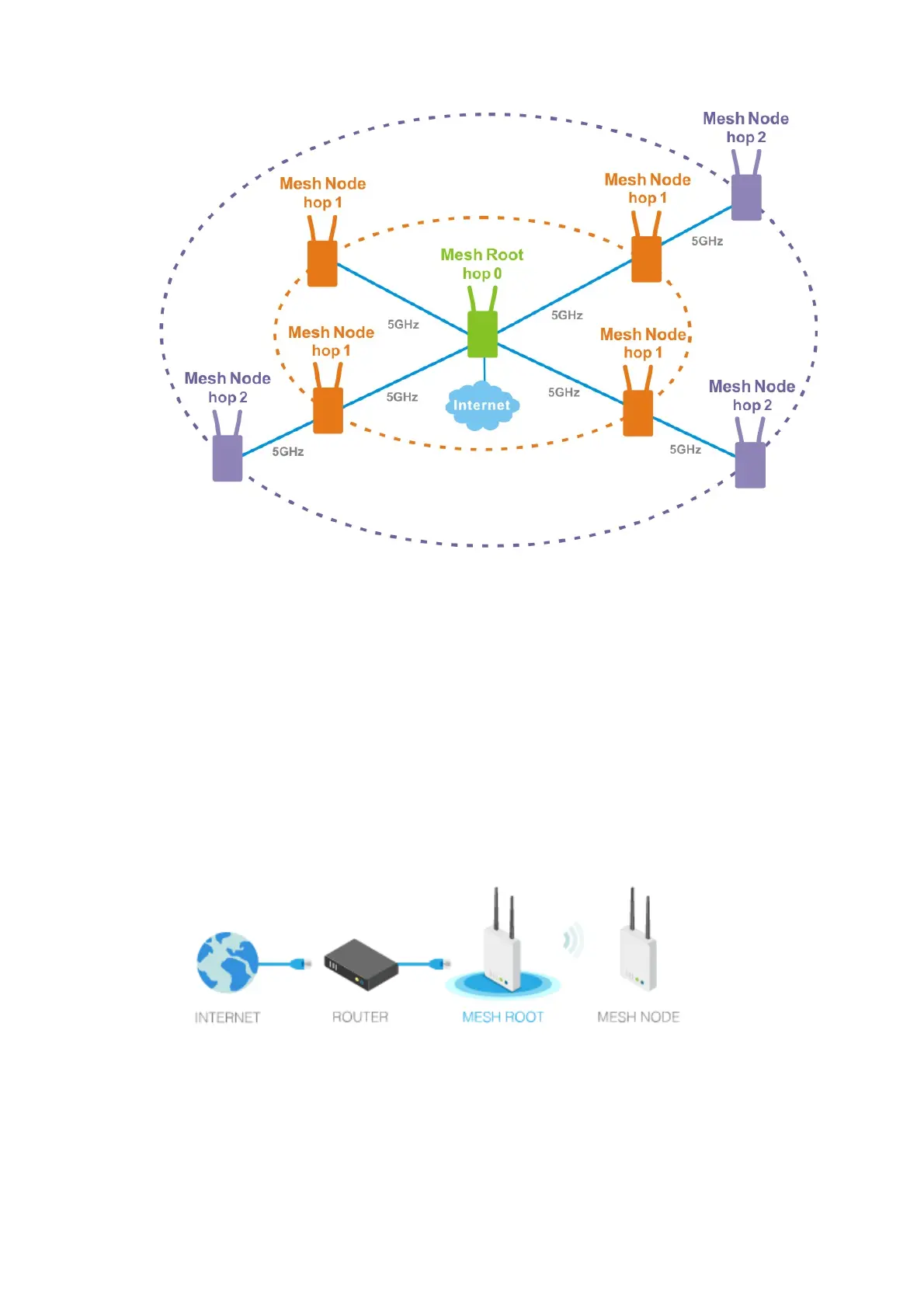
It must be composed by “1” Mesh Root and “0~7” mesh nodes
(Roaming) Normally members in a mesh group use the same Wireless SSID/security
(Add) Only the mesh root can add a new mesh node into the mesh group
(Recover) A disconnected mesh node will automatically try to connect to another connected
mesh node of the same group
Mesh Root and Mesh Node
Mesh Root indicates that VigorAP would be other AP's uplink connection. As a Mesh Root, VigorAP
must connect to a gateway with Ethernet cable first to have an internet connection.
As a Mesh Node, VigorAP can connect to the mesh root or mesh node within the same mesh group
via wireless network or physical connection with an Ethernet cable.
The following figure shows how VigorAP runs as MESH ROOT:
The following figure shows how VigorAP runs as MESH NODE:












 To Next Page