VigorIPPBX 3510 Series User’s Guide
69
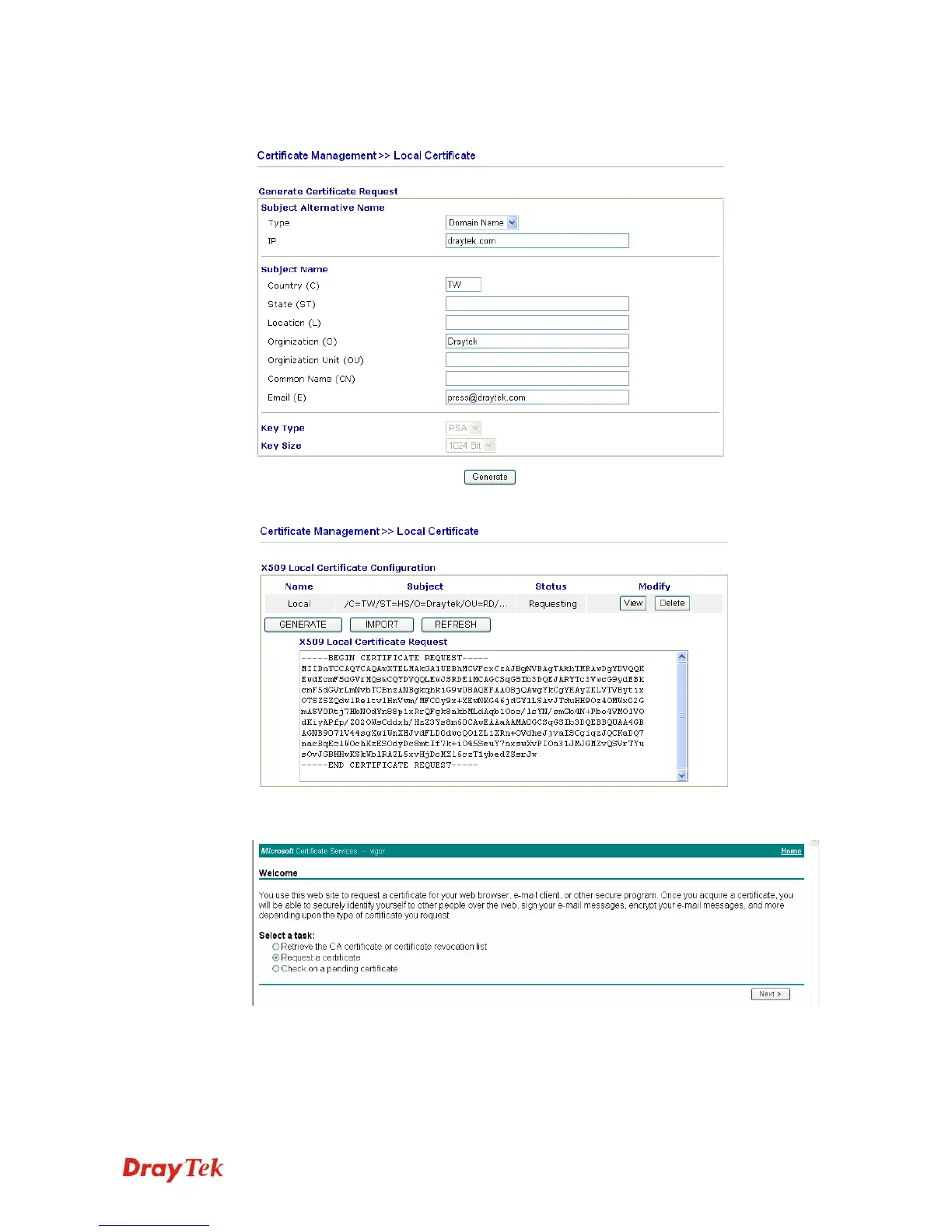
2. You can click GENERATE button to start to edit a certificate request. Enter the
information in the certificate request.
3. Copy and save the X509 Local Certificate Requet as a text file and save it for later use.
4. Connect to CA server via web browser. Follow the instruction to submit the request.
Below we take a Windows 2000 CA server for example. Select Request a Certificate.



 To Next Page