VigorIPPBX 3510 Series User’s Guide
70
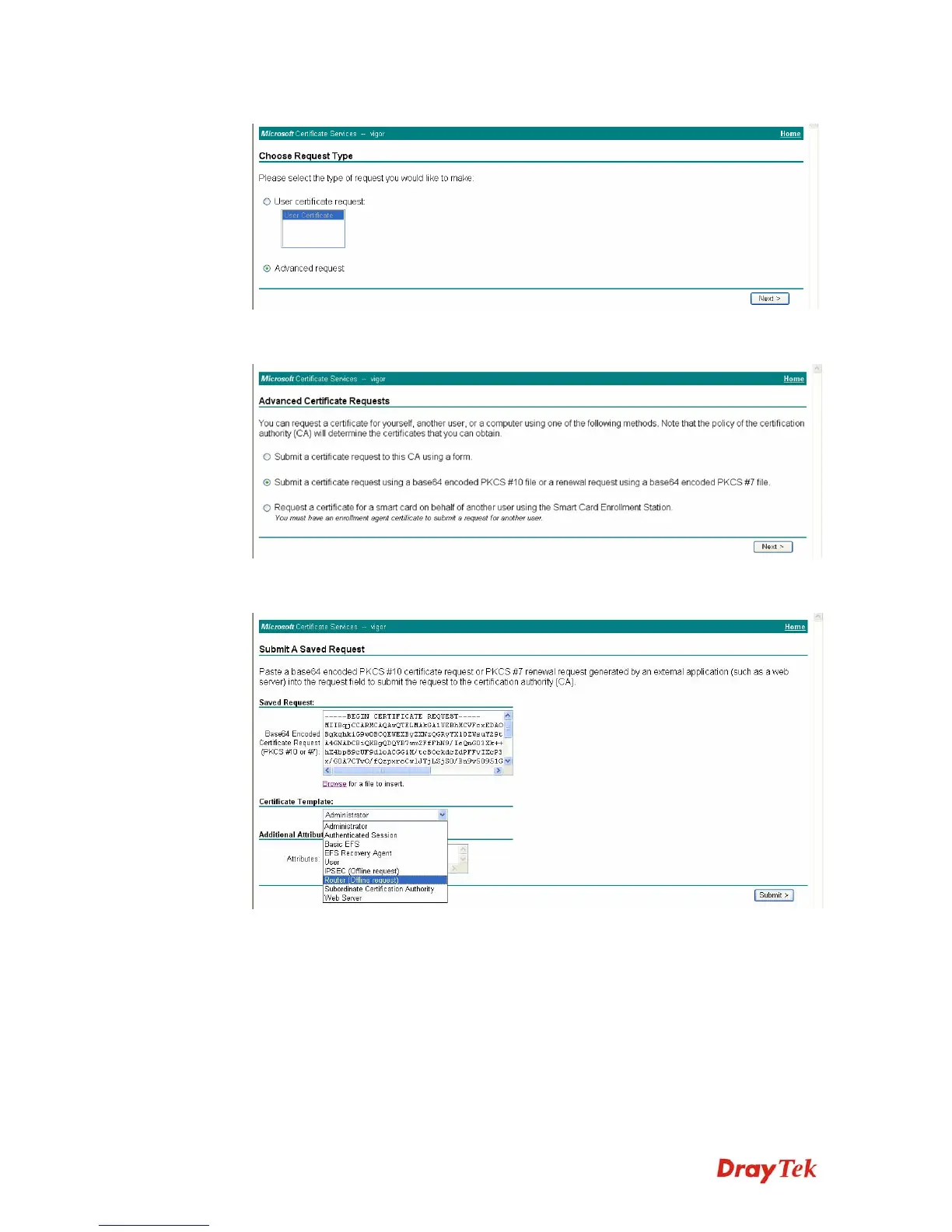
Select Advanced request.
Select Submit a certificate request a base64 encoded PKCS #10 file or a renewal
request using a base64 encoded PKCS #7 file
Import the X509 Local Certificate Requet text file. Select Router (Offline request) or
IPSec (Offline request) below.
Then you have done the request and the server now issues you a certificate. Select Base
64 encoded certificate and Download CA certificate. Now you should get a certificate
(.cer file) and save it.



 To Next Page