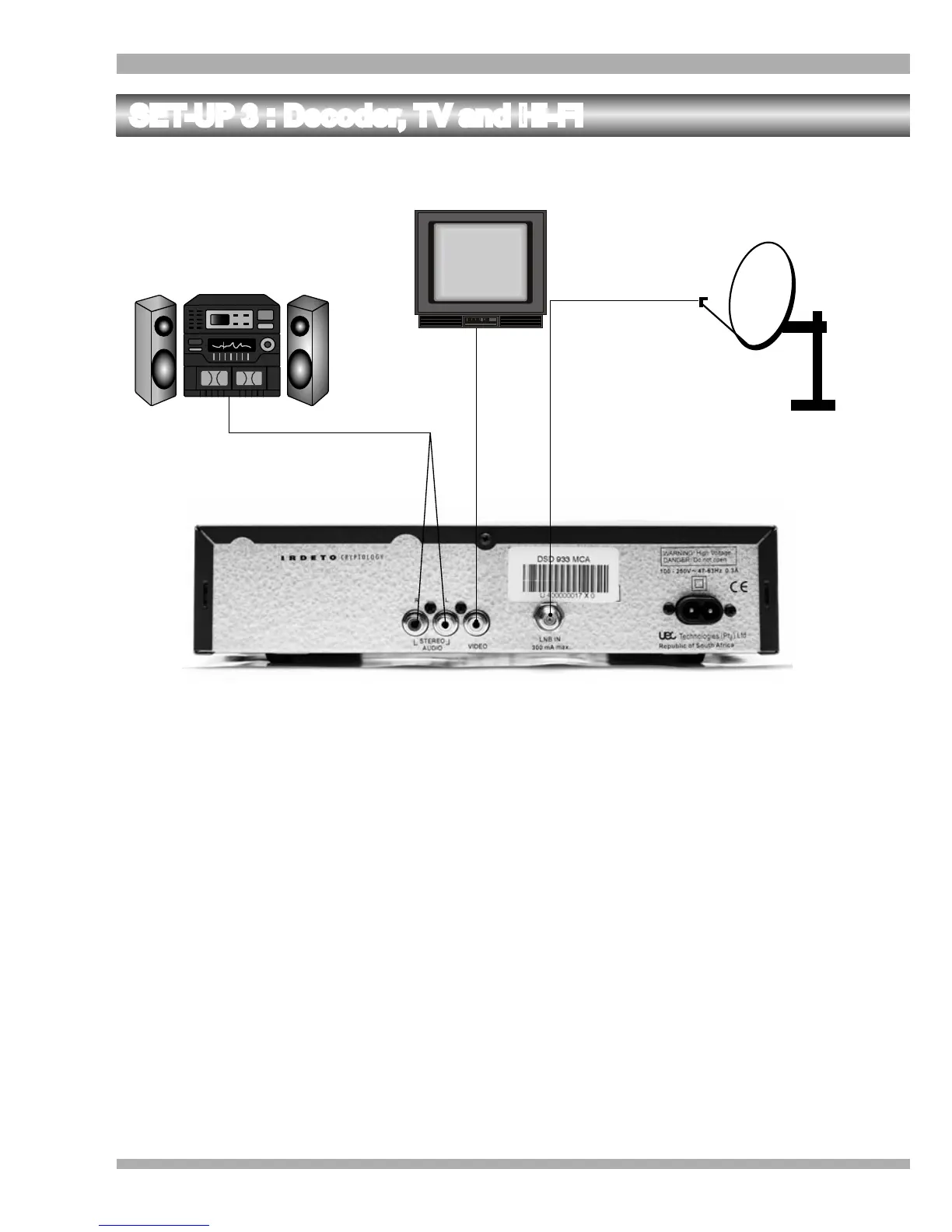
SET-UP 3 : Decoder, TV and Hi-Fi
1
2
3
1. Connect the Left and Right STEREO AUDIO sockets of the decoder to the Left and
Right AUDIO IN sockets of the Hi-Fi respectively. (Refer to 1 on the above
illustration).
2. Connect the VIDEO socket of the decoder to the VIDEO IN socket of the television .
(Refer to 2 on the above illustration).
3. Connect the LNB IN socket of the decoder to the LNB on the satellite dish. (Refer to 3
on the above illustration).
This is the recommended set-up if you enjoy listening to DMX (your TV can be switched off
to do this).
14 MultiChoice 933 Digital Satellite Decoder


 To Next Page