GETTING STARTED
On completion of the installation, switch on / plug in the MultiChoice decoder at the mains. The
decoder will go through a power-up sequence, acquire all available channels and display Channel
1 of the DStv Bouquet. At this time, there will be an information banner on-screen indicating that
you need to insert the MultiChoice Smartcard.
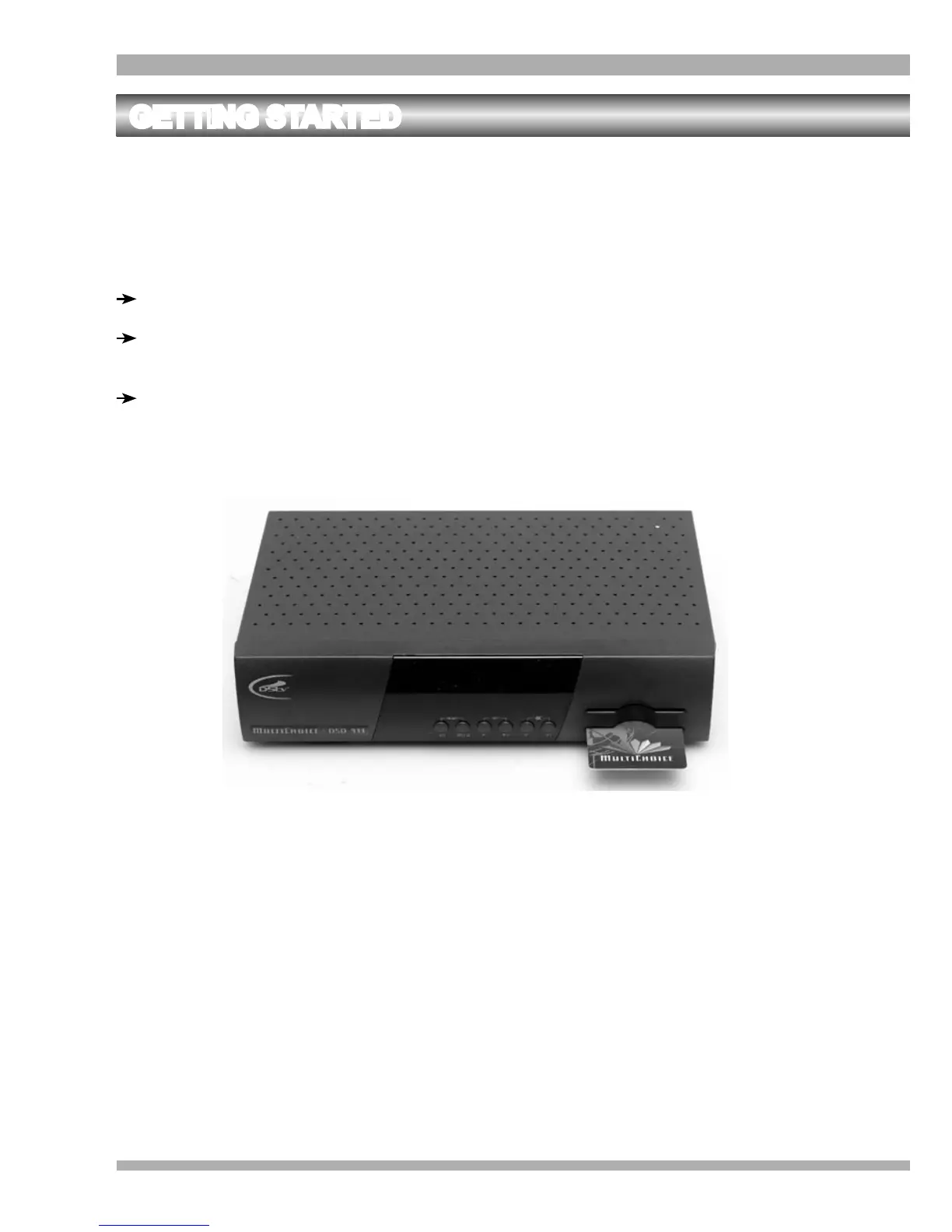
INSERTING THE MULTICHOICE SMARTCARD
Locate the slot at the bottom right-hand side of the front panel of the decoder.
Hold the Smartcard horizontally, with the electronic chip (generally a small gold square)
facing downwards.
Insert the Smartcard into the slot until it comes to a firm stop.
STANDBY AND NORMAL VIEWING MODES
The MultiChoice decoder does not have a mains power on/off switch but it can be switched to
standby mode using the standby button on the remote control or the front panel. The standby
mode is indicated by a 24 hour clock on the front panel display of the decoder.
There is a negligible difference in power consumption between the standby and active modes.
The MultiChoice decoder may be left on permanently without any detrimental affect.
15MultiChoice 933 Digital Satellite Decoder


 To Next Page