GETTING TO KNOW YOUR
MULTICHOICE 933 DECODER
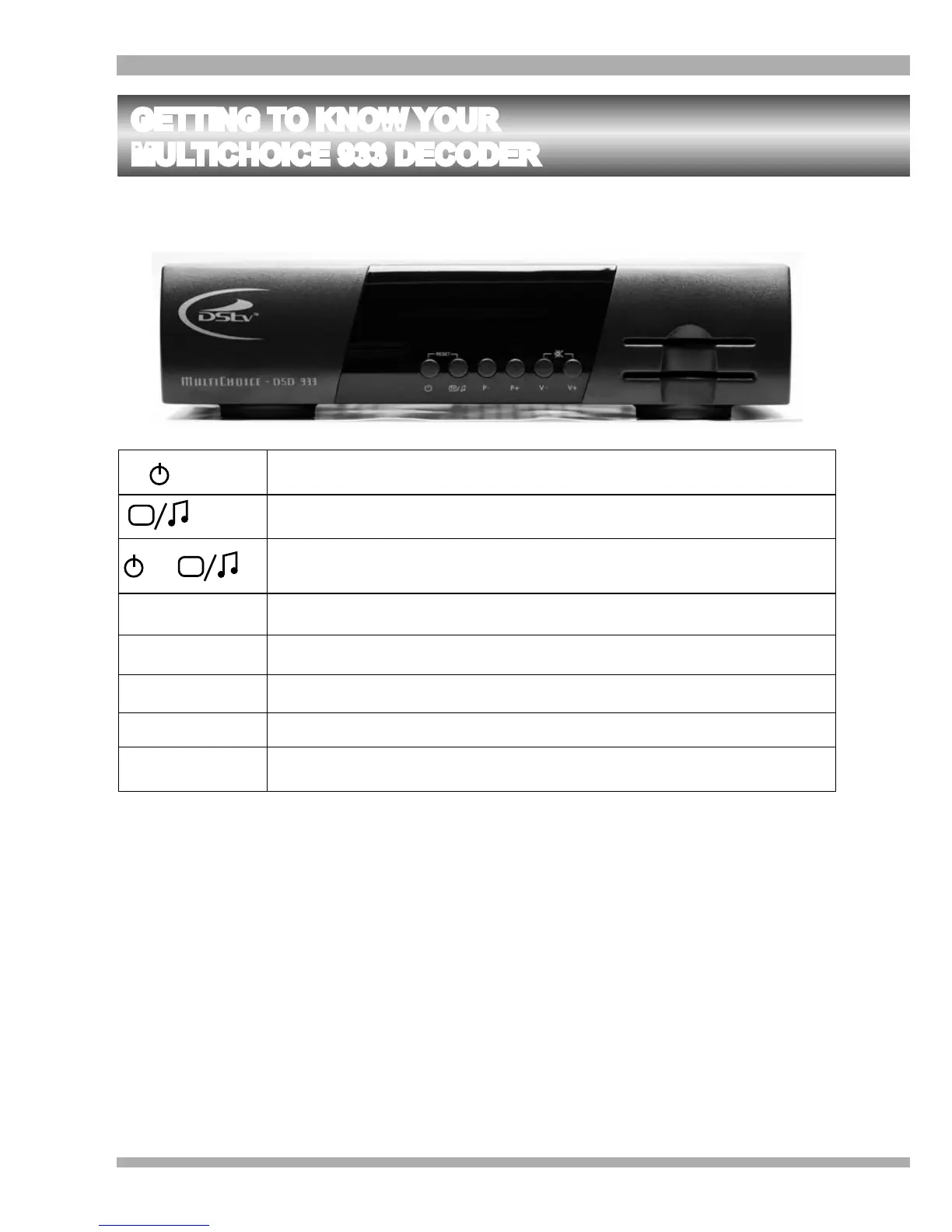
FRONT PANEL
Alternates between Standby and On.
TV
Switches between MultiChoice TV services and Audio services.
TV
&
When pressed together, resets the decoder.
P-
Programme Down - changes to the previous channel.
P+
Programme Up - changes to the next channel.
V-
Volume Down - decreases the volume.
V+
Volume Up - increases the volume.
V- & V+
When pressed together, mutes the volume of the decoder.
8 MultiChoice 933 Digital Satellite Decoder


 To Next Page