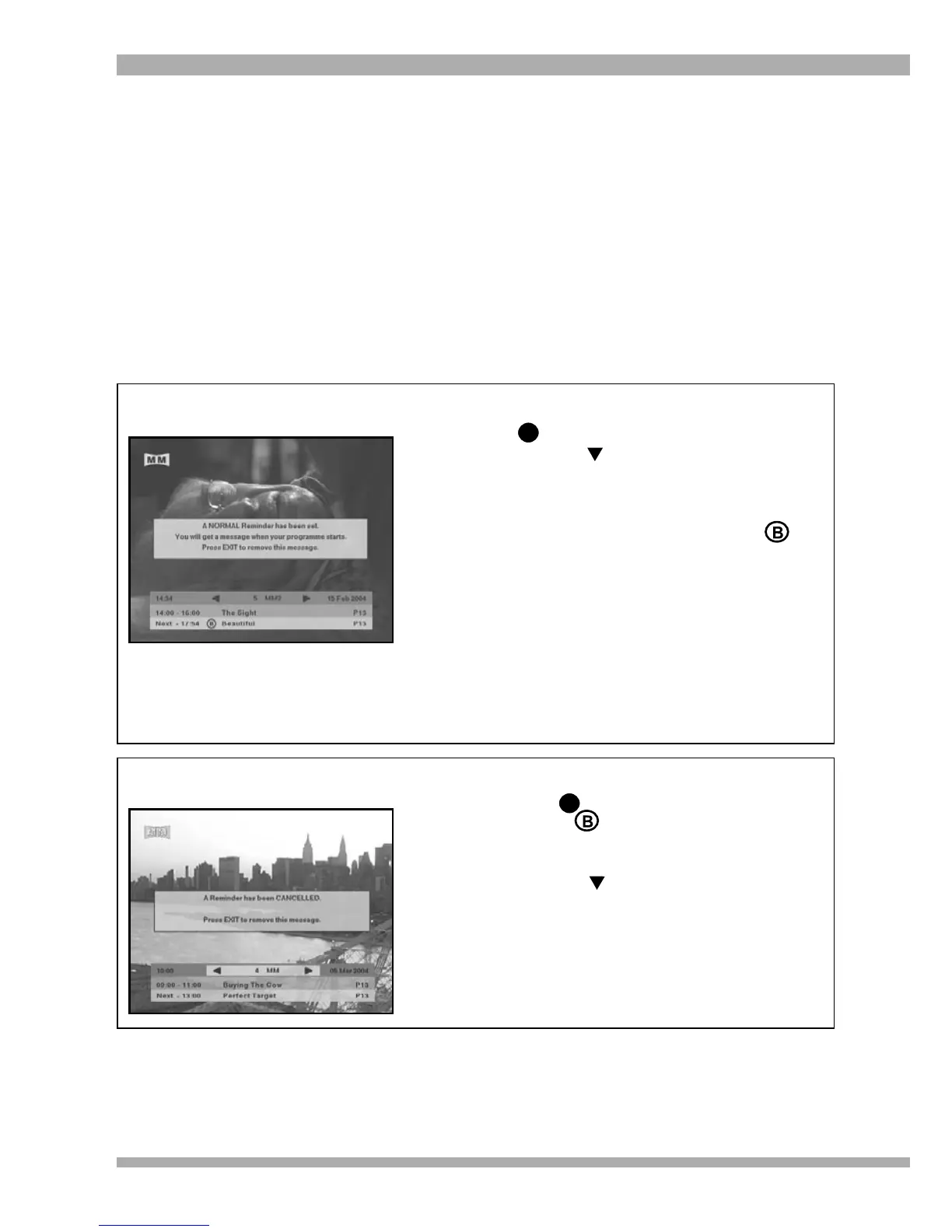
1. To set a normal / banner reminder, press
to display the i-plate.
2. Press the arrow to highlight the next
programme.
3. Press OK once to set a normal / banner
reminder. A banner will appear on-screen
confirming your selection. A small
will also appear on the i-plate next to the
selected programme, indicating that a
normal / banner reminder has been set.
4. When the selected programme starts,
a banner will appear on-screen reminding
you of your selection. You can press OK
to tune to the programme or EXIT to
remove the banner. If you do nothing, the
banner will automatically be removed in 1
minute.
REMINDERS
NORMAL / BANNER REMINDERS
Note : Reminders can only be set on programmes that have not yet started.
If you are using an interactive service, reminders will not be activated until you
exit the interactive service.
Setting a normal / banner reminder will result in a banner being displayed on-screen when the
selected programme starts, irrespective of the channel you’re viewing.
Example : you can view a programme on M-Net and set a normal / banner reminder for the next
programme on the Movie Magic channel. When the programme on Movie Magic starts, a banner
will be displayed on-screen to remind you of your selection.
i
Setting a Normal / Banner Reminder
Cancelling a Normal / Banner
Reminder
1. To cancel a normal / banner reminder,
press to display the i-plate.
2. A small will be displayed on the
programme for which you have set the
reminder.
3. Press the arrow to highlight that
programme.
4. Press OK twice to cancel the normal /
banner reminder. A banner will appear
on-screen confirming that your reminder
has been cancelled.
i
19MultiChoice 933 Digital Satellite Decoder


 To Next Page