33
MultiChoice 933 Digital Satellite Decoder
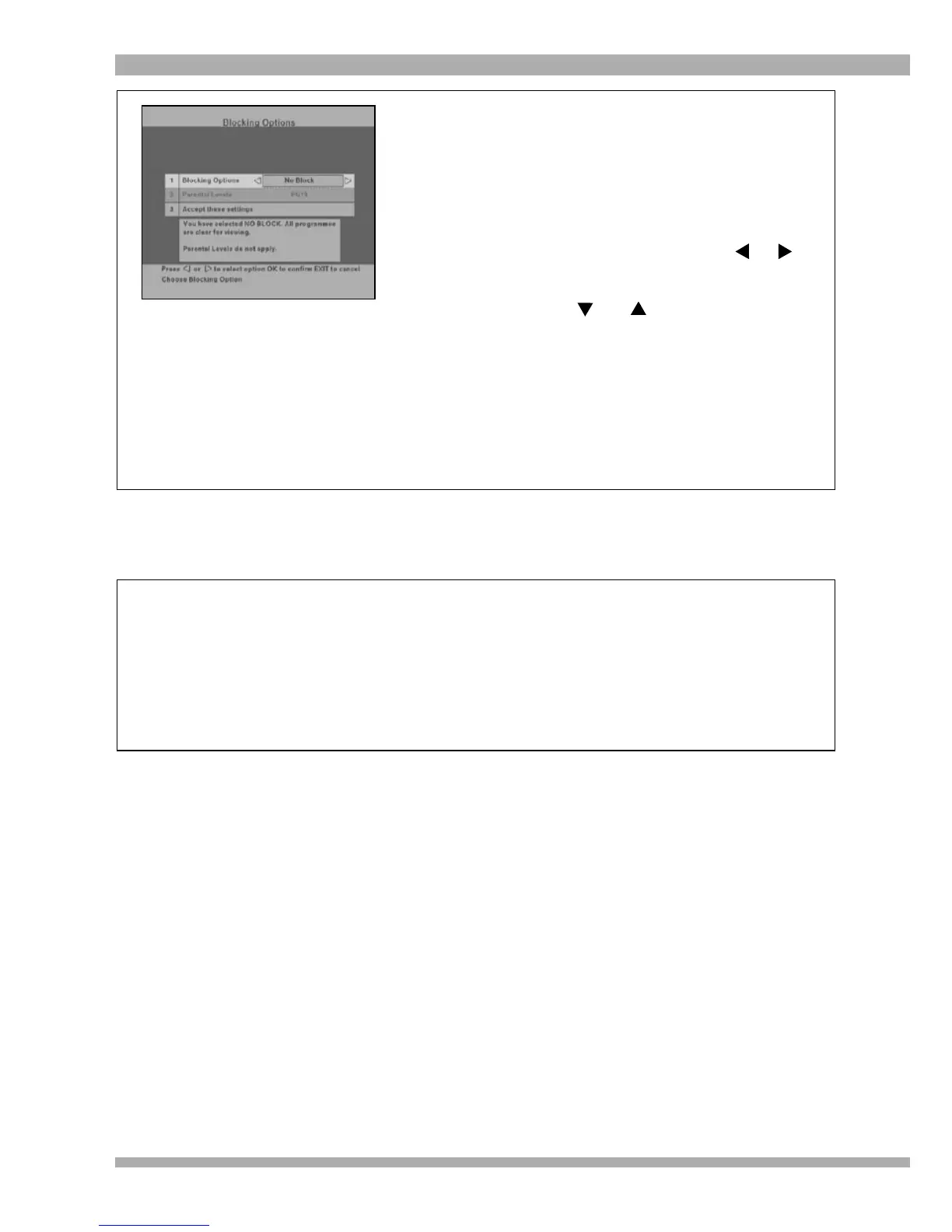
When selecting Blocking Options from the
Parental Control sub-menu, the screen on the left is
displayed.
Note : The default settings are No Block with a
Parental Level of R18.
1. To change either the Blocking Options
or the Parental Level, use the or
arrow to highlight the required option and
press OK.
2. Use the and arrows to scroll
through the options and press OK to
make your selection.
3. Once you have selected the required
blocking option, move the highlight to
“Accept these settings” and press OK
to save your setttings.
4. To return to the Main Menu, press EXIT.
To exit from all menus press MENU.
SERVICE BLOCKING
Service Blocking differs from Blocking Options as this feature is used to block one or many
channels, irrespective of the age restrictions on these channels.
Example : If you do not want your children to watch Cartoon Network, you would select the
Service Blocking option and select to have this channel blocked. This channel cannot be
viewed unless the correct Parental Control PIN code is entered. If you unblock this channel by
entering the Parental Control PIN code and then change channels, when you return to Cartoon
Network, you will once again have to enter the Parental Control PIN code to unblock it.


 To Next Page