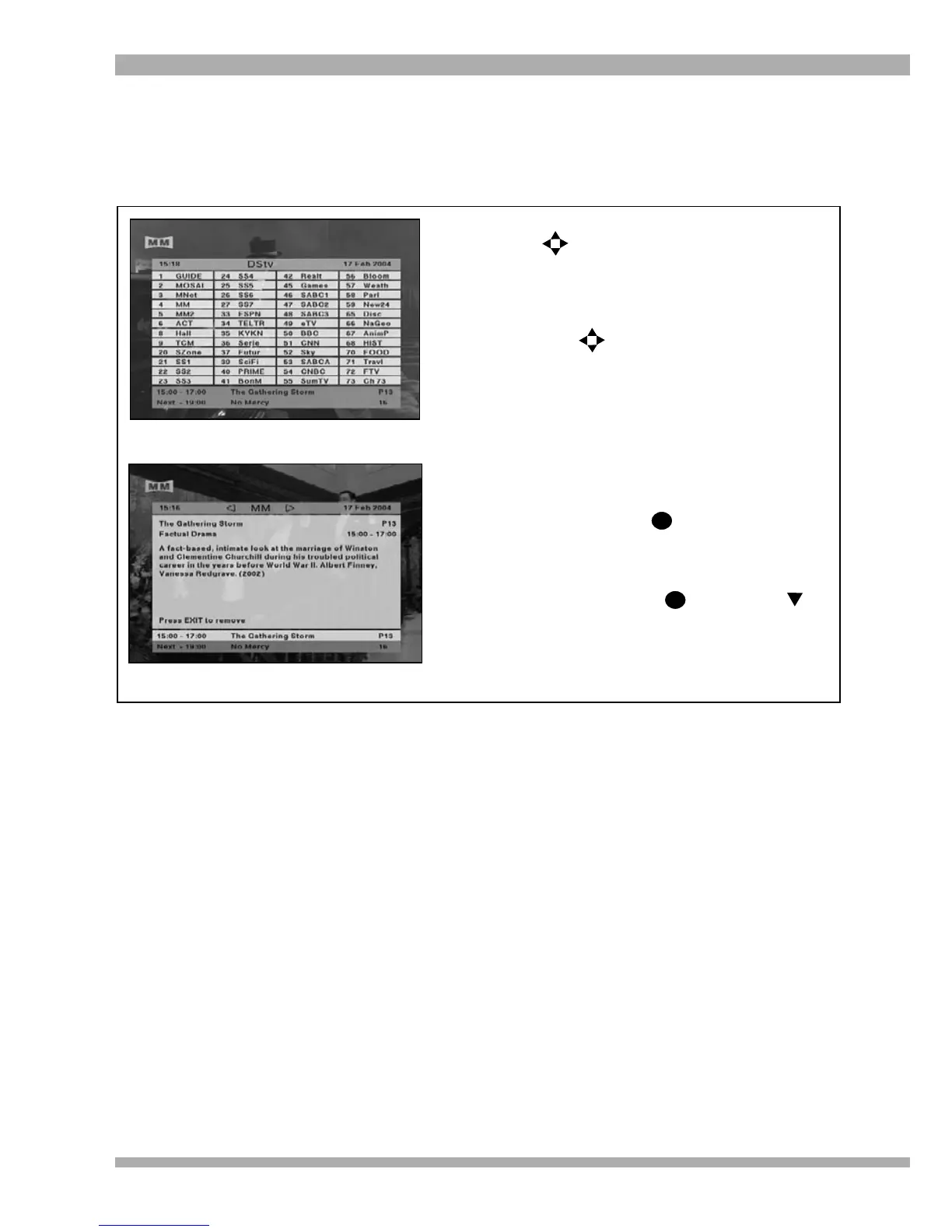
1. To display the channel grid, press any of
the keys.
(Please ensure that there is no other
information on-screen, eg. the i-plate,
bouquet options, etc. when you press the
arrows.)
2. Use the keys to move the highlight
around the grid. As you move the highlight,
you will notice that the information on the
i-plate (at the bottom of the screen) updates
to reflect the programming information on
the selected channel. (see top picture)
To tune to the selected channel, simply
press OK.
To view extended programme
information, press . (see bottom
picture)
3. To remove the channel grid, press EXIT.
4. You can also set reminders from the
channel grid. Press and then the
arrow to highlight the next programme. You
can press OK once to set a normal / banner
reminder or press OK twice to set an
autotune reminder.
The channel grid displays a list of all available channels in the DStv Bouquet and is a quick way to
check what’s showing on your favourite channel. It’s also a great way to tune to a channel when
you’re not quite sure what number that channel is on.
i
i
CHANNEL GRID
21MultiChoice 933 Digital Satellite Decoder


 To Next Page