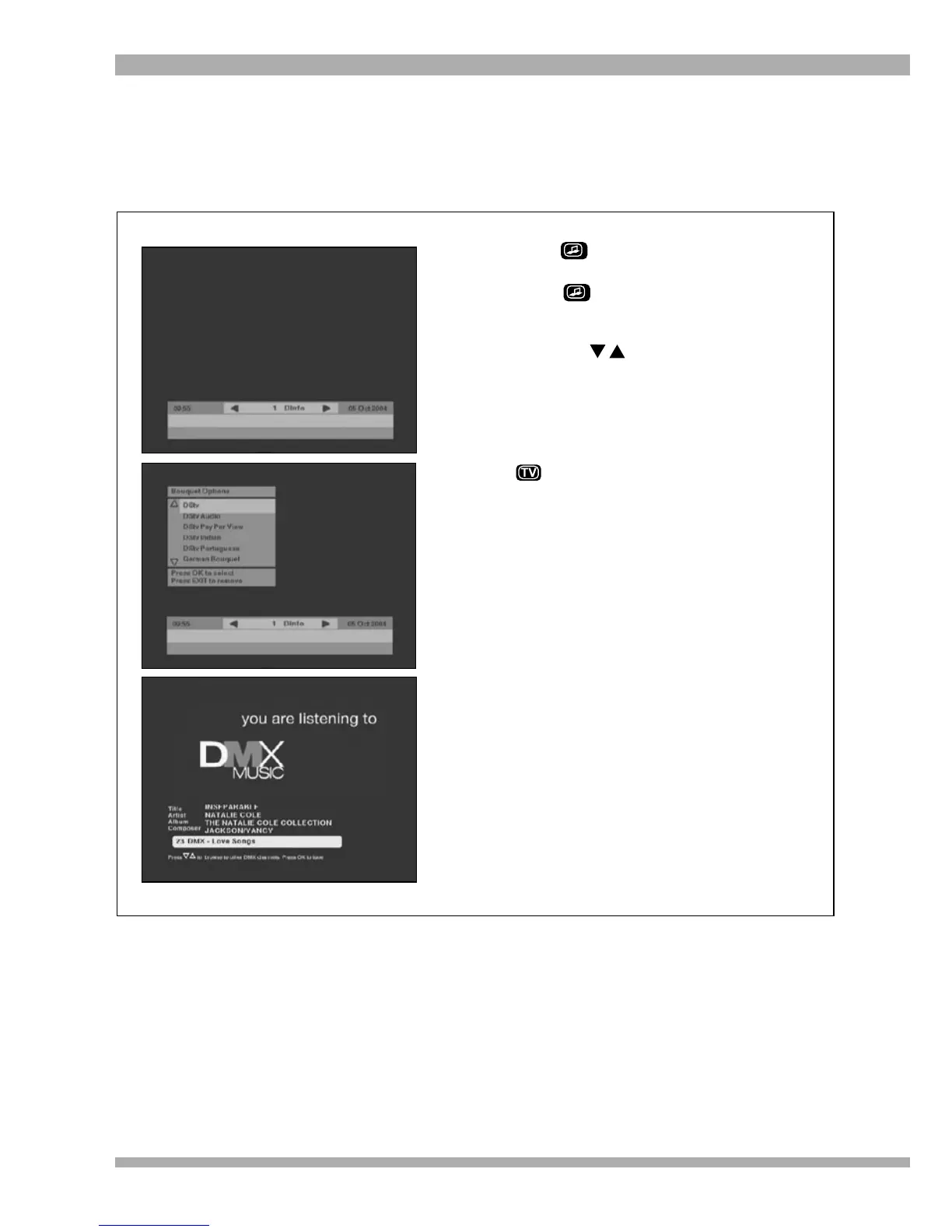
1. Press . The screen on the top left will
be displayed.
2. Press again and the Bouquet menu
options will display (see the centre
picture).
3. Using the arrows, select DStv Audio
and press OK.
4. You can then browse through the audio
channels in the same way that you
browse video channels.
5. To return to normal video channels, press
. The Bouquet menu option will
display. Scroll to DStv and press OK to
select.
DStv AUDIO BOUQUET
The DStv Audio Bouquet offers a selection of both local and international radio stations as well as
DMX, which provides you with 40 stereo music channels.
To access the DStv Audio Bouquet, follow the steps below:
27MultiChoice 933 Digital Satellite Decoder


 To Next Page