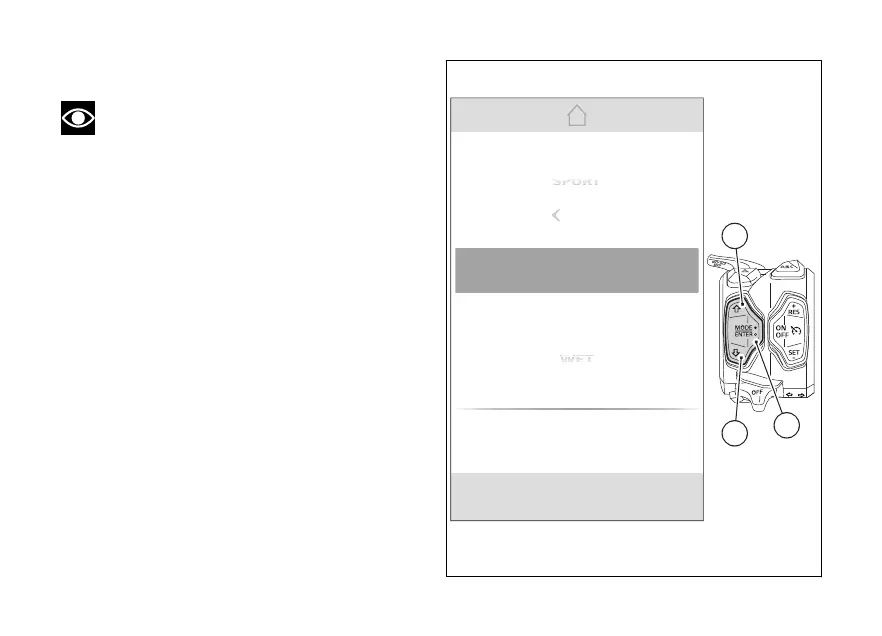
Changing Riding Mode
Note
If the "Rally" screen is active, make sure that
the Trip master function is selected.
●
Press and hold the MODE/ENTER (3) for
a long time.
●
The dedicated screen is displayed where, using
(1) and (2), it is possible to scroll through
the available Riding Modes and display the
parameters with the relevant set values.
●
Press the MODE/ENTER (3) to confirm.
Select "Exit" and press MODE/ENTER (3) to
quit the screen without making any changes.
As soon as the new Riding Mode is confirmed, the
instrument panel checks the following conditions:
●
If speed is lower than or equal to 5 km/h (3 mph)
and control is open, the message “Close
is displayed; the new Riding Mode is
confirmed and stored only when control
is closed and then the main screen is displayed.
●
If speed is lower than or equal to 5 km/h (3 mph),
control is closed but brakes are
actuated, the message “Release brakes” is
Gear
N0
km/h
Exit
RALLY
ENDURO
SPORT
WET
Power
High
DWC
2
DTC
3
DQS
Off
ABS
1
EBC
1
Fig 65
115













 To Next Page