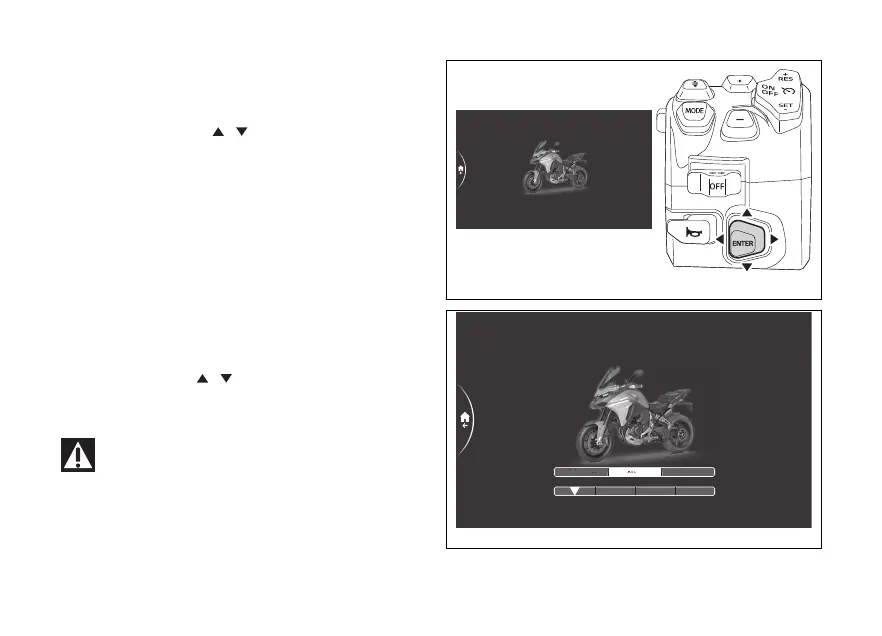
menu – Riding Mode – DTC
This function allows the intervention level of
the DTC traction control system or deactivating it.
- Use the joystick to select menu"
from the Interactive Menu and press ENTER.
- Select the "Riding Mode" item and press
ENTER.
- Select the riding mode you wish to customise
and press ENTER.
- Select the "DTC" item and press ENTER.
Levels from 1 to 8 and are displayed on the
side. While the currently set level is shown on
the right. The motorbike is shown in the middle with
the involved in the highlighted and the
reference indications.
Using the joystick
it is possible to scroll and
select the desired level. Press ENTER to confirm and
quit the menu.
When the DTC is set to the DWC is also
automatically set to so both the wheelie control
and the vehicle dynamics stabilisation control are
deactivated.
Fig 162
2
3
4
PERFORMANCE SAFE/STABLE
OFF-ROAD ROAD
3
Sport> Traction Control
WET
1
5
Fig 163
186











 To Next Page