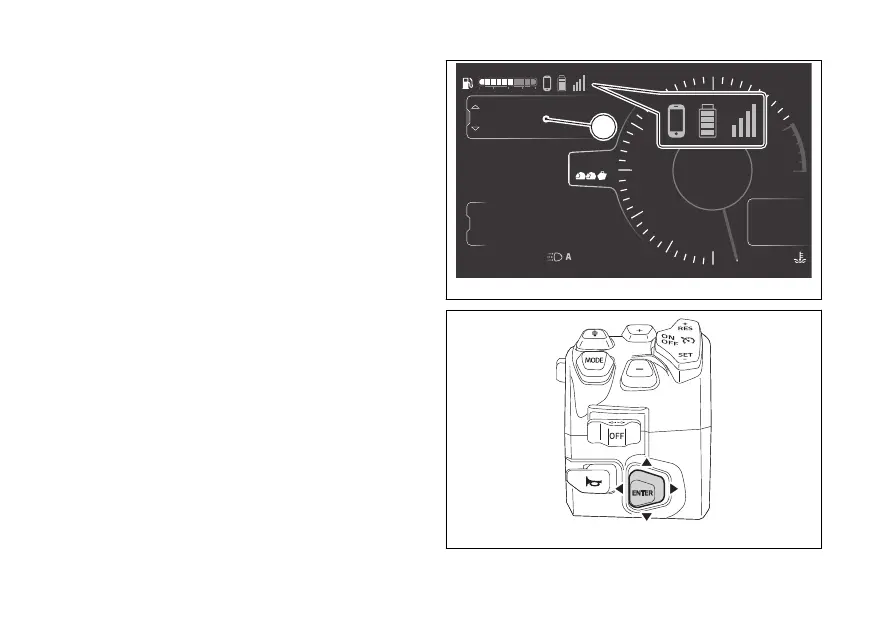
Ducati Connect
This function allows activating the mirroring of the
special apps provided by Ducati on the
and managed by the Ducati Connect app.
The following must be verified for mirroring:
- the Ducati Connect app and the Sygic GPS
Navigation App must be properly installed and
configured on the
- Bluetooth and Wi-Fi must be activated on the
- the must be paired and connected
to the instrument panel via Bluetooth;
- Bluetooth pairing, wait for the phone,
and network icons to turn blue. Make
sure the GPS has been activated beforehand.
For the Bluetooth pairing procedure, refer to sub-
section menu Bluetooth (page 247).
4
1
2
3
5
6
7
8
10
12
Air
25
°C
0
km/h
17
°C
10:34
pm
N
Gear
rpm X1000
Setting menu
Music
Ducati Connect
TOURING
DTC
DQS
ABS
DWC
3
3
5
On
Total
Range
Trip 1
km
km
km
2017
250
52.3
A
Fig 112
Fig 113
141











 To Next Page