Music
This function is available in the Interactive Menu and
allows activating, deactivating and managing the
music player and can be selected only if a
has been connected via Bluetooth. It is
only available in Touring and Urban riding modes.
For the Bluetooth pairing procedure, refer to sub-
section menu Bluetooth (page 247).
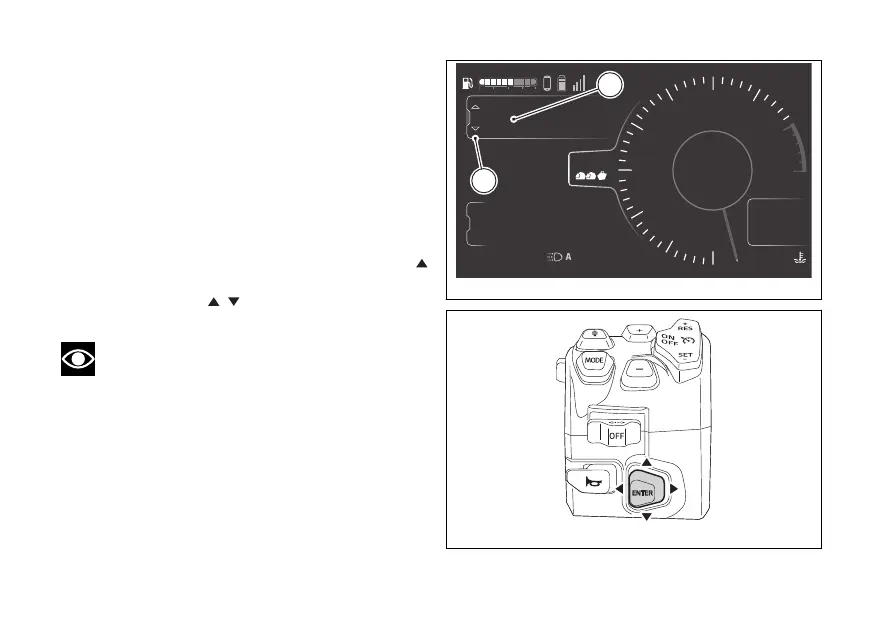
- Select the Interactive Menu (A, Fig 150) by
pressing and holding the joystick in position
for a long time.
- Use the joystick
to select Music (B, Fig 150)
and press ENTER.
Note
Music is played on the connected
via Bluetooth. If the rider and passenger intercoms
are also connected to the instrument panel the
music is played through the intercoms.
4
1
2
3
5
6
7
8
10
12
Air
24
°C
0
km/h
90
°C
10:34
pm
N
Gear
rpm X1000
km
km
km
2017
250
52.3
Ducati Connect
Phone
Music
TOURING
DTC
DQS
ABS
DWC
3
3
5
On
Total
Range
Trip 1
A
B
Fig 150
Fig 151
179











 To Next Page