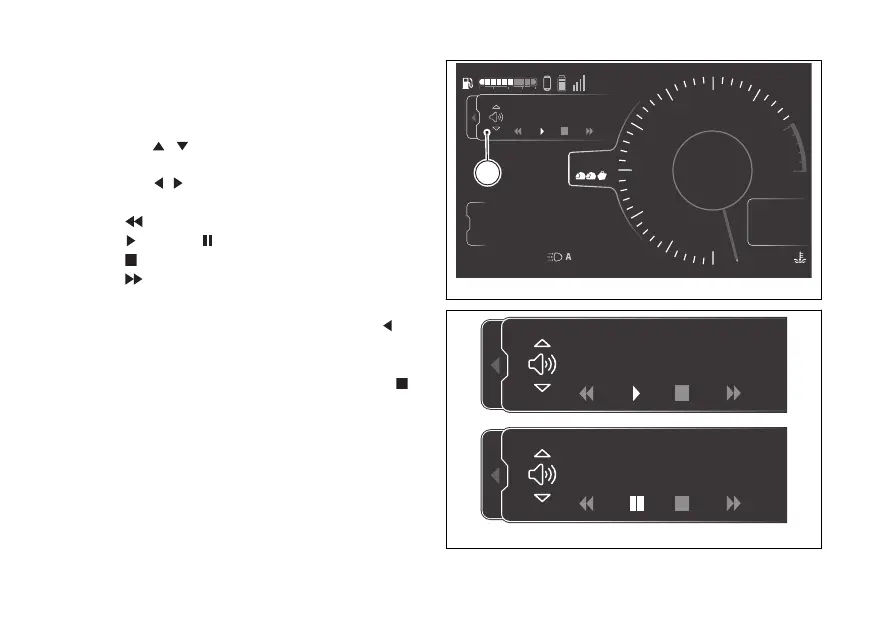
Window (C, Fig 152) will be displayed where the
controls of the music player and the track currently
playing are shown.
Use the joystick to select the following controls:
- joystick to increase and decrease the
volume
- joystick
to select the following controls
which can be activated by pressing ENTER
-
previous track
- play or pause
- stop
-
next track
The selected control is shown in white.
Pressing and holding the joystick in position
for a
long time while a track is playing will close the music
player window but the track will not be stopped.
When ENTER is pressed with the stop control
selected, the music player window is closed and the
current track is stopped.
4
1
2
3
5
6
7
8
10
12
Air
24
°C
0
km/h
90
°C
10:34
pm
N
Gear
rpm X1000
km
km
km
2017
250
52.3
TOURING
Track 01
DTC
DQS
ABS
DWC
3
3
5
On
Total
Range
Trip 1
C
Fig 152
Fig 153
180











 To Next Page