Phone
This function is available in the Interactive Menu and
displays the list of the last missed, made or received
calls and can only be selected if a has
been connected via Bluetooth. It is only available in
Touring and Urban riding modes.
For the Bluetooth pairing procedure, refer to sub-
section menu Bluetooth (page 247).
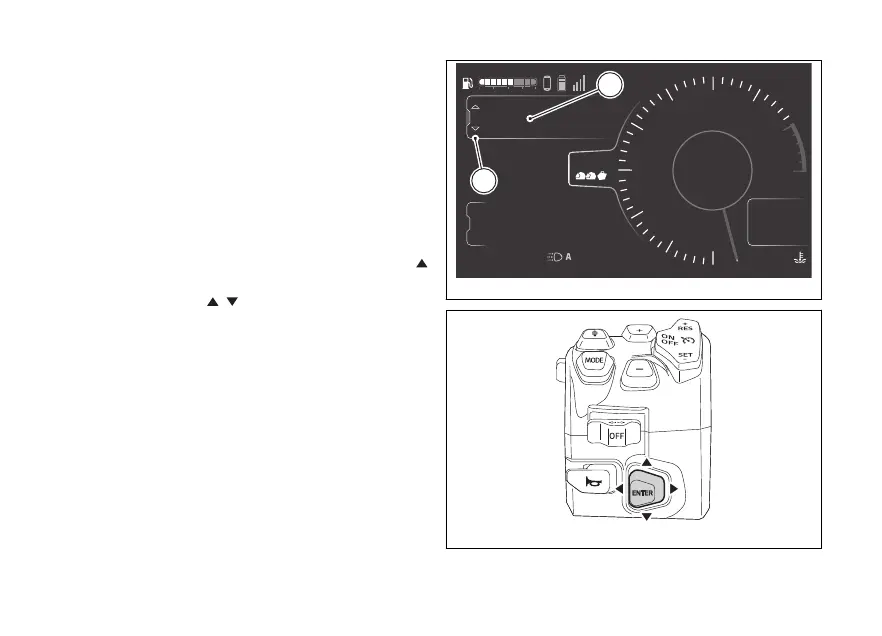
- Select the Interactive Menu (A, Fig 145) by
pressing and holding the joystick in position
for a long time.
- Use the joystick
to select Phone (B, Fig 145)
and press ENTER.
4
1
2
3
5
6
7
8
10
12
Air
24
°C
0
km/h
90
°C
10:34
pm
N
Gear
rpm X1000
km
km
km
2017
250
52.3
Music
Setting menu
Phone
TOURING
DTC
DQS
ABS
DWC
3
3
5
On
Total
Range
Trip 1
A
B
Fig 145
Fig 146
176











 To Next Page