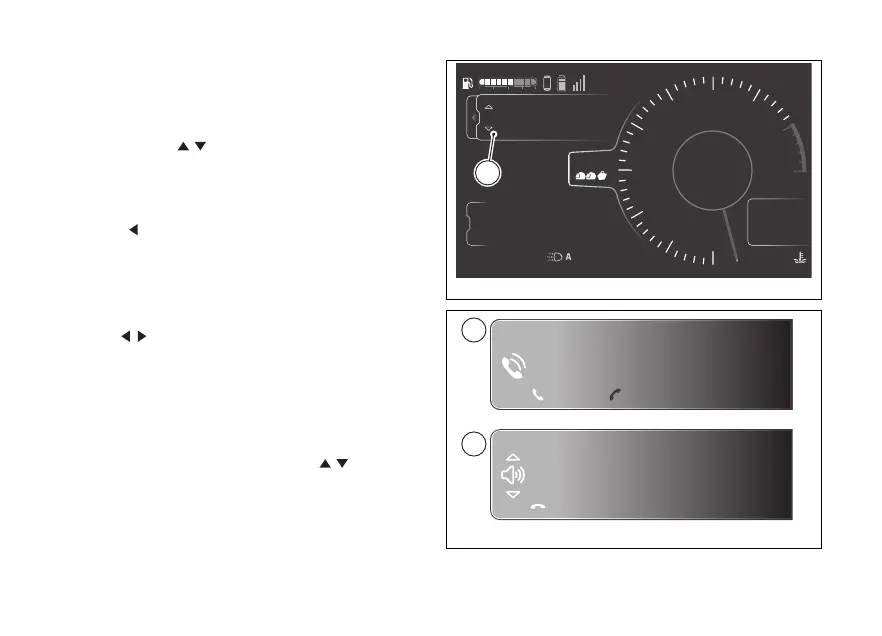
The relevant window (C, Fig 147) is shown listing the
last 7 calls made, received or missed. If a number or
contact is present several times among the last calls,
this is displayed only once.
Use the joystick to scroll through the calls in the
list. Press ENTER to make a call to the number or
contact selected in the list.
To close the window, press and hold the joystick in
position
for a long time.
Incoming call
When you receive a call, a green window is shown
with the name or number of the caller as well as the
items Accept and Decline (D, Fig 148). Use the
joystick
to select the desired item, press ENTER
to confirm.
Call in progress
When a call is in progress, a green window is shown
with the name or number of the contact as well as
the item End call (D, Fig 148). During the call you can
adjust the volume using the joystick
. To end the
call, press ENTER.
4
1
2
3
5
6
7
8
10
12
Air
24
°C
0
km/h
90
°C
10:34
pm
N
Gear
rpm X1000
km
km
km
2017
250
52.3
TOURING
Rindi
Alex
Mario
DTC
DQS
ABS
DWC
3
3
5
On
Total
Range
Trip 1
C
Fig 147
Mario
End call
Rifiuta
Mario
Accetta
Fig 148
177











 To Next Page