Note
It is possible to switch Blind Spot Detection
(BSD) on or using the Blind Spot Detection
function in the menu (page 225).
Icons
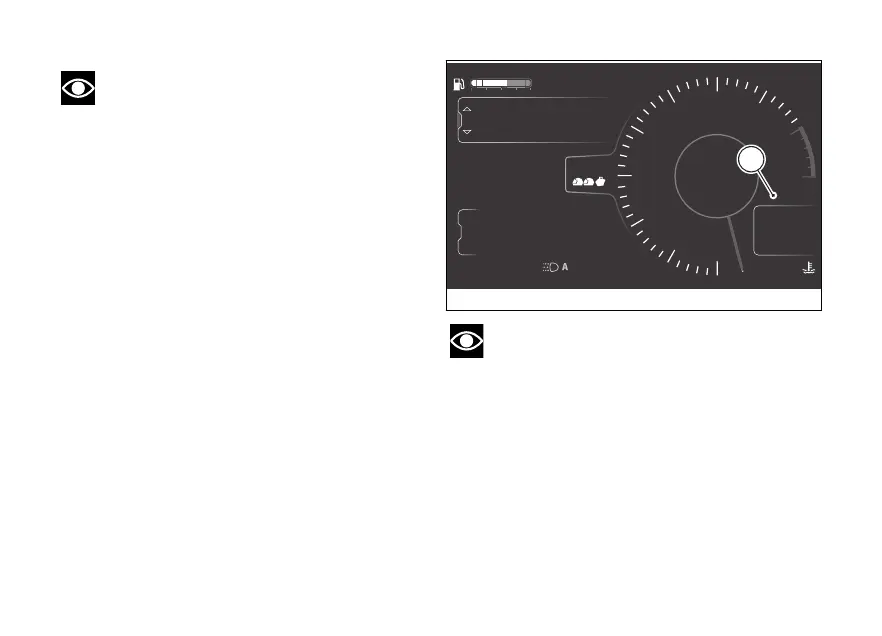
The BSD has a dedicated icon on the instrument
panel, located on the right in the main page
(A, Fig 111).
The icon is when the function is active.
Otherwise, it can be:
- grey: the function has been switched by the
rider;
- yellow: the function has been switched on by the
rider but is not available because the ABS is
switched set to level 1 or the DTC is switched
or because of temporary unavailability of the
radar in unfavourable environmental conditions
(e.g. in tunnels);
- red: the function is not available due to system
failure or malfunction.
If the red BSD icon is present, proceed as follows:
1) check if the front radar is or blocked. If so,
gently clean it and/or remove any obstruction.
Note
this operation only when the
motorcycle is at a standstill and in safe conditions;
2) if the BSD icon has remained red step 1),
contact a Ducati authorised service centre.
4
1
2
3
5
6
7
8
10
12
Air
24
°C
0
km/h
90
°C
10:34
pm
N
Gear
rpm X1000
km
km
km
2017
250
52.3
ABS
Setting menu
Trip master
ENDURO
BSD off
Total
Range
Trip 1
A
DTC
DQS
ABS
DWC
3
3
5
On
Fig 111
140











 To Next Page