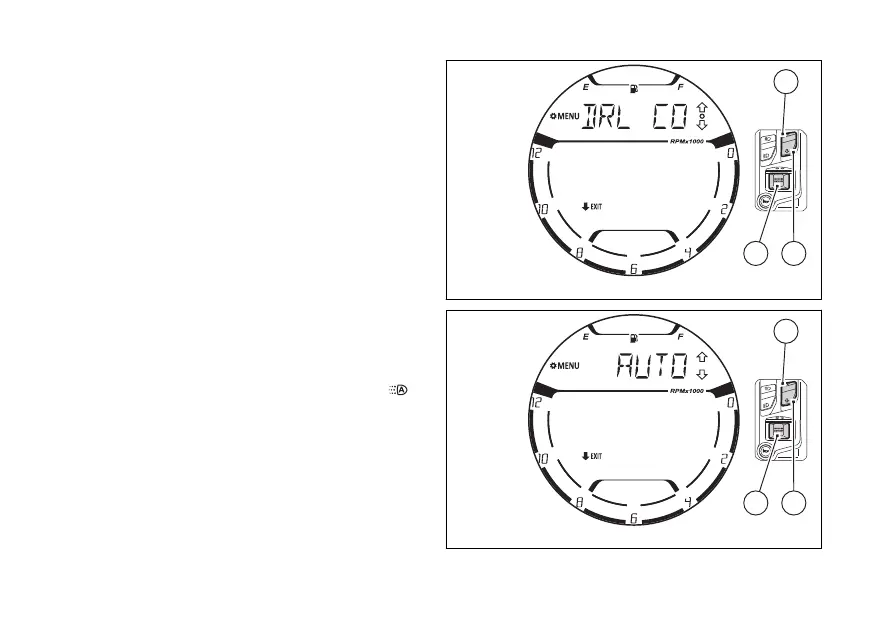
menu - DRL light mode
(DRL CONTROL) (if any)
This function is available only if the DRL lights are
installed and allows the DRL light control in
automatic (AUTO) or manual (MANUAL) mode.
Enter the SETTING MENU.
Select “DRL CONTROL” option, by pressing
(1) and (2).
Once function is highlighted, press (4).
When entering this function, the instrument panel
will display the currently set value (Fig 121).
With (1) and (2) it is possible to scroll and
select (flashing) the available “AUTO”,
“MANUAL".
To confirm the selected value, press (4).
When the mode is set to “AUTO”, the symbol “
” is
displayed in the main page of the instrument panel.
To quit the function press (2) for 2 seconds.
Fig 120
Fig 121
135















 To Next Page