10
How to Replace a Rotary Tool
REFERENCE
REFERENCE
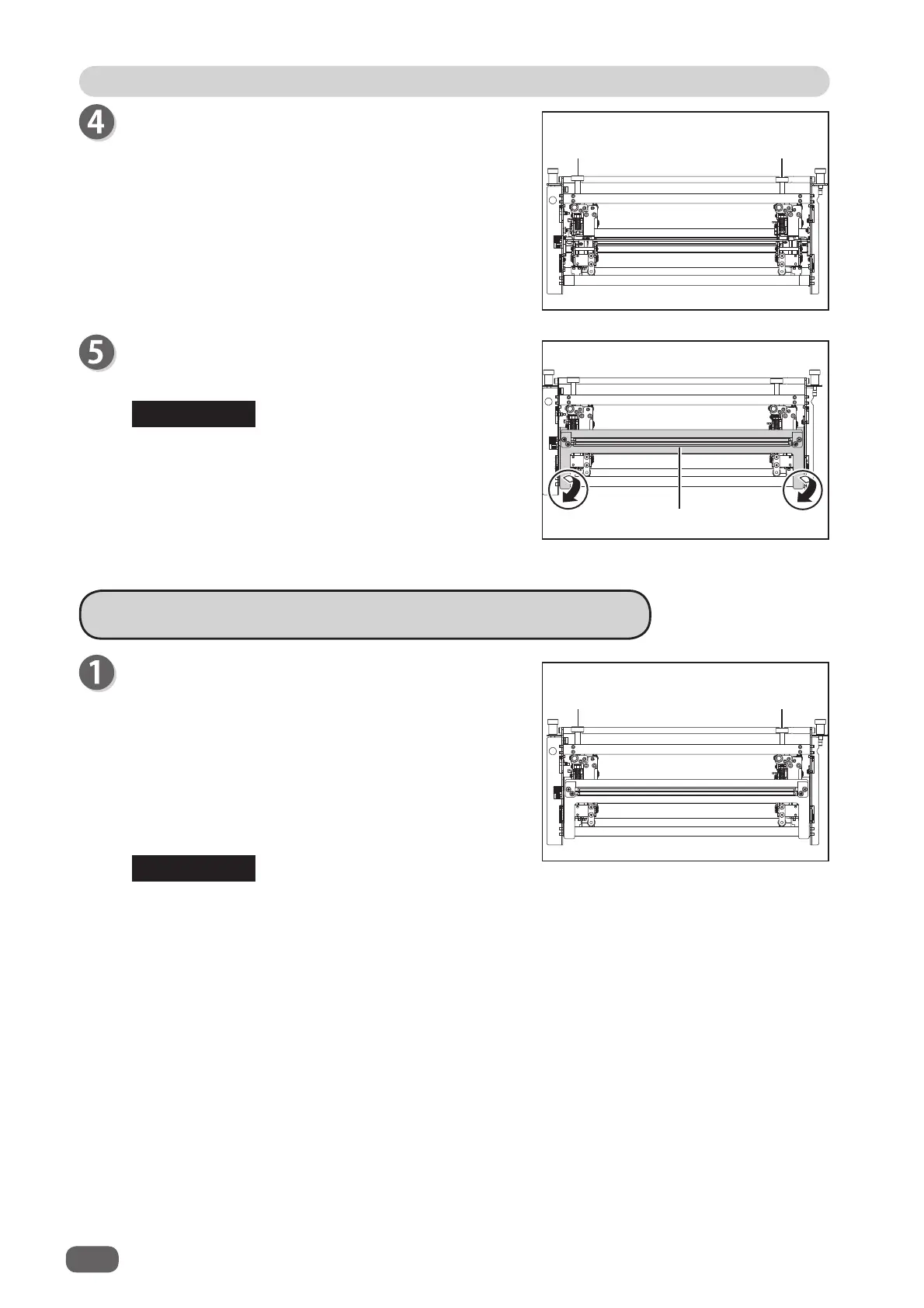
Attach the
guide assy
in the direction of the arrows in
the fi gure on the right.
Attach the
guide assy
while holding the circled
parts in the fi gure on the right.
Turn the
adjustment knobs
clockwise to lower the
rotary tools
according to the type of the
rotary tool
unit
.
Adjusting the Depth of a Rotary Tool
Turn the
adjustment knobs
counterclockwise to raise
the
rotary tools
to the upper limit position.
Turn the
adjustment knobs
clockwise to lower the
rotary tools
to the position for the types of the
rotary
tools
.
● Adjust the
rotary tool
according to the degrees of the arrow position on the
adjustment
knob
.
• Indication of the depth of each
rotary tool
from the upper limit position
Perforation tool:
225 to 315 degrees
Micro perforation tool
: 180 degrees
Score tool
: 225 to 270 degrees
● The position of the
adjustment knob
may diff er depending on the diameter of a
rotary
tool
even when the same type of tool is used.
● When processing light weight documents, if a
rotary tool
is at a deeper position, it may
not be able to perform a document processing straight to a fi nished product.
If this is the case, adjust the depth of the
rotary tool
slightly shallower (toward the upper
limit position).
Guide assy
Adjustment
knob
Adjustment
knob
Adjustment
knob
Adjustment
knob



 To Next Page