7
Before Using This Module
1
REFERENCE
How to Replace a Rotary Tool
Perforation tool
Micro perforation tool
Score tool
The
RTM (Rotary Tool Module)
can process documents with the following three types of
rotary
tools
attached to the
rotary tool unit
.
Select a proper
rotary tool
and attach it to the
rotary tool unit
.
Perforation tool:
A tool having cutting blades and grooves that are alternatively arranged.
Enables you to perforate a document.
Score tool
: Enables you to make scores on a document.
Micro perforation tool
: A tool having narrower cutting blades and grooves than the standard
type (perforation tool). Enables you to perforate a document.
●
Types of rotary tools
●
Positions of the rotary tool and the lower tool
The position of the
lower tool
varies depending on the
types of the
rotary tool
.
Removing a Rotary Tool
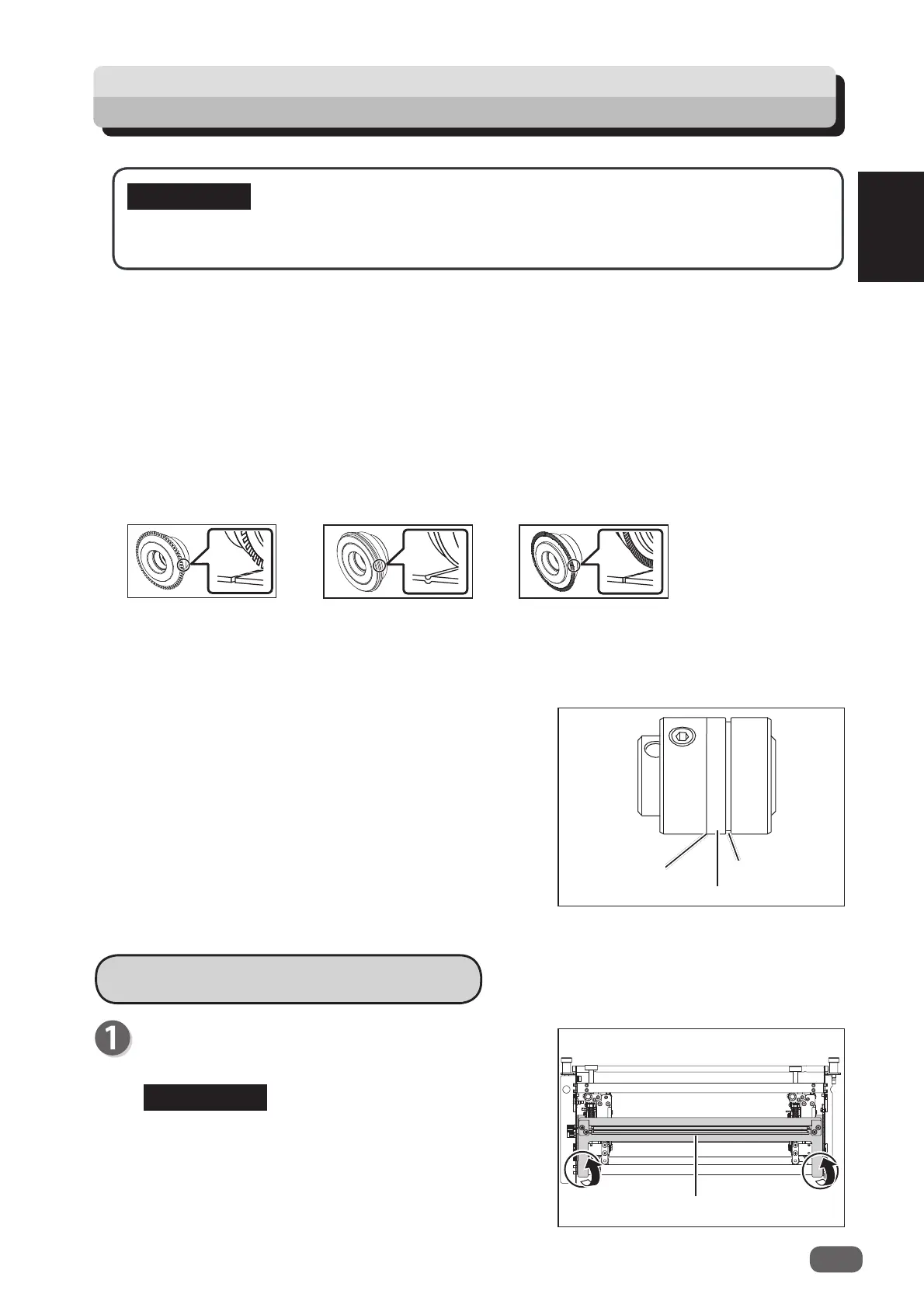
Remove the
guide assy
in the direction of the arrows.
Remove the
guide assy
while holding the circled
parts in the fi gure on the right.
Make sure that replacement of the
rotary tool
must be performed only by a trained person
in charge of maintenance.
IMPORTANT
Guide assy
Perforation
tool
Micro perforation tool
Score tool



 To Next Page