This section describes the functions which relate to the
RTM (Rotary Tool Module)
.
For other settings, refer to Chapter 3 Basic operations - Process in the DC-618 Instruction Manual.
Select
Tool
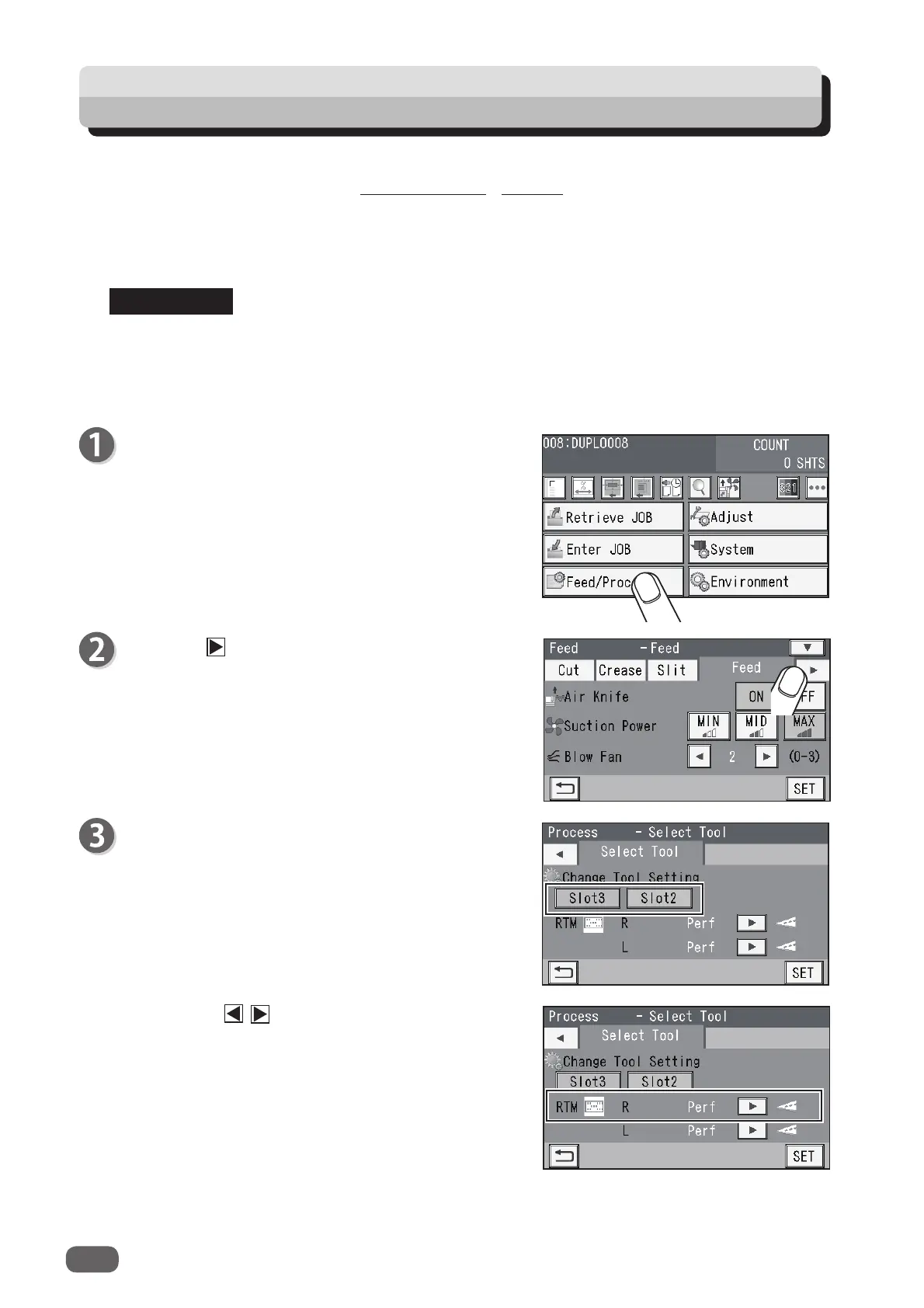
This sets the tools on the right and the left of the modules installed in slot 2 and slot 3.
Change Tool Setting
is automatically set as programmed when a JOB is retrieved.
Settings for a JOB that are changed after the JOB is retrieved are active until the power is
turned
OFF
or another JOB is retrieved.
Make sure that the
standby
screen is displayed on
the
touch panel
, and then touch
Feed/Process
.
Touch the icon.
Select Tool
Change Tool Setting
1. Select and touch
Slot2
or
Slot3
.
2. Touch the / icon to select a
rotary tool
on
the right side (
R
) of the slot that was selected in
step 3-1 out of
Perf
,
Micro
, and
Score
.
REFERENCE
52
Process



 To Next Page