14
Hints for entering a JOB:
● Touching
SET
goes on to the next step.
● Touching
NEXT
goes on to the next screen.
● Touching the
return
returns to the previous screen.
● Pressing the STOP key during JOB entering returns to the
standby
screen.
The following items that appear on the touch panel stand for as below.
Standard
: Standard module
Perf
: Perforation tool
Slitter
: Slitter module
Micro
: Micro perforation tool
RTM
: Rotary Tool Module
Score
: Score tool
The DC-618 provides two programming modes,
Wizard
and
Direct
.
There are two programming modes in
Direct
,
Advanced Mode
and
Simple Mode
.
Wizard
Direct (Advanced Mode)
Direct (Simple Mode)
Before programming a JOB, set either mode with
Basic Mode
in
Environment
.
(→ Chapter 3 Basic Operations in the DC-618 Instruction Manual.)
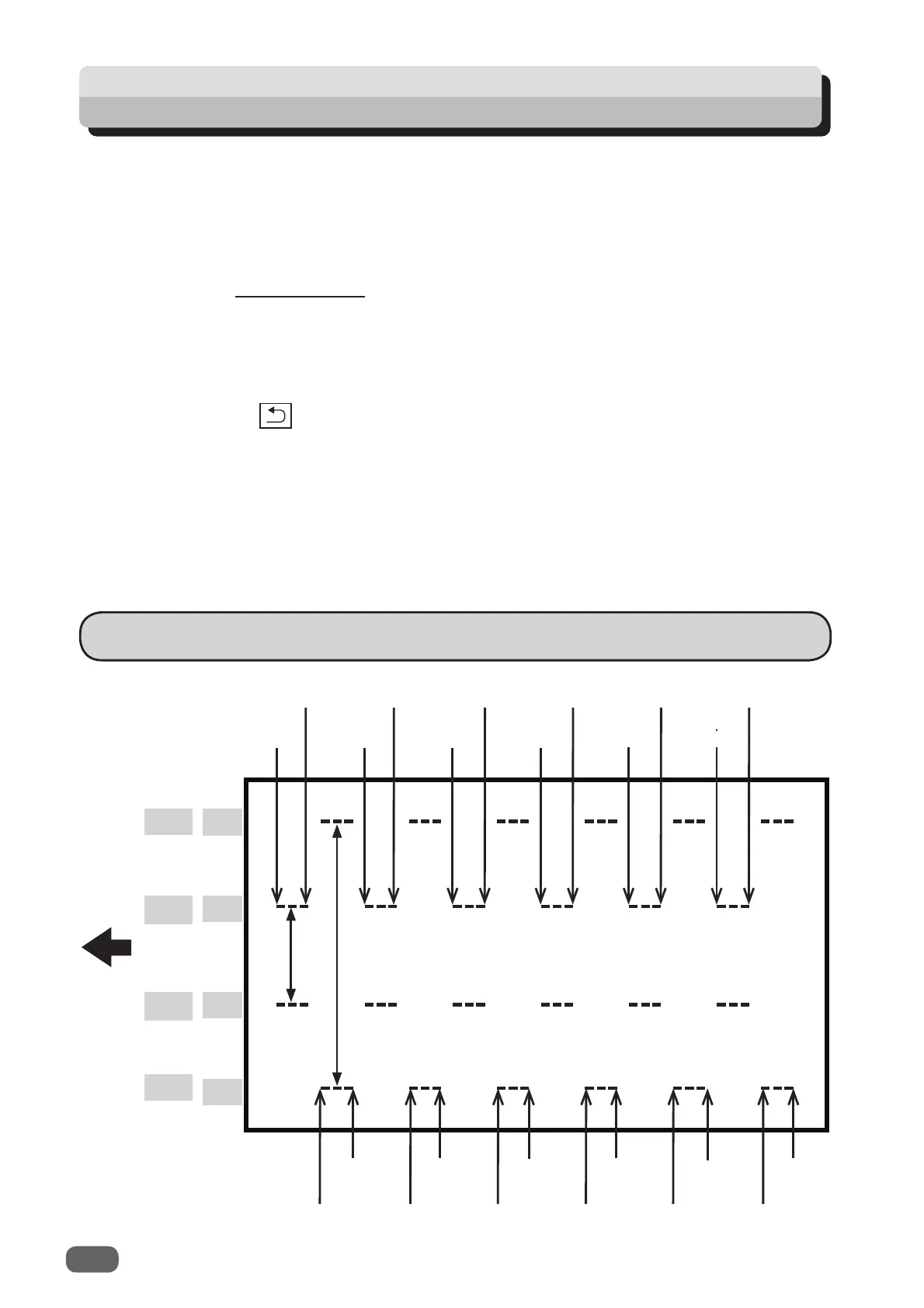
Setting for Processing with the RTM (Rotary Tool Module)
JOB Entry
Pattern 2
X2-R
Pattern 1
X1-R
Pattern 1
X1-L
Pattern 2
X2-L
Y1 On Y2 On Y3 On Y4 On Y5 On Y6 On
Y1 Off Y2 Off Y3 Off
Y4 Off Y5 Off Y6 Off
Document
feed
direction
Y1 On
Y1 Off
Y2 On
Y2 Off
Y3 On
Y3 Off
Y4 On
Y4 Off
Y5 On
Y5 Off
Y6 On
Y6 Off
A
A



 To Next Page