48
This section describes the procedure for processing documents by retrieving a JOB from
JOB No.
or
JOB Log
.
Follow steps 1 to 12 in Chapter 3 Basic Operations - Processing Documents by Retrieving a
Saved JOB in the DC-618 Instruction Manual.
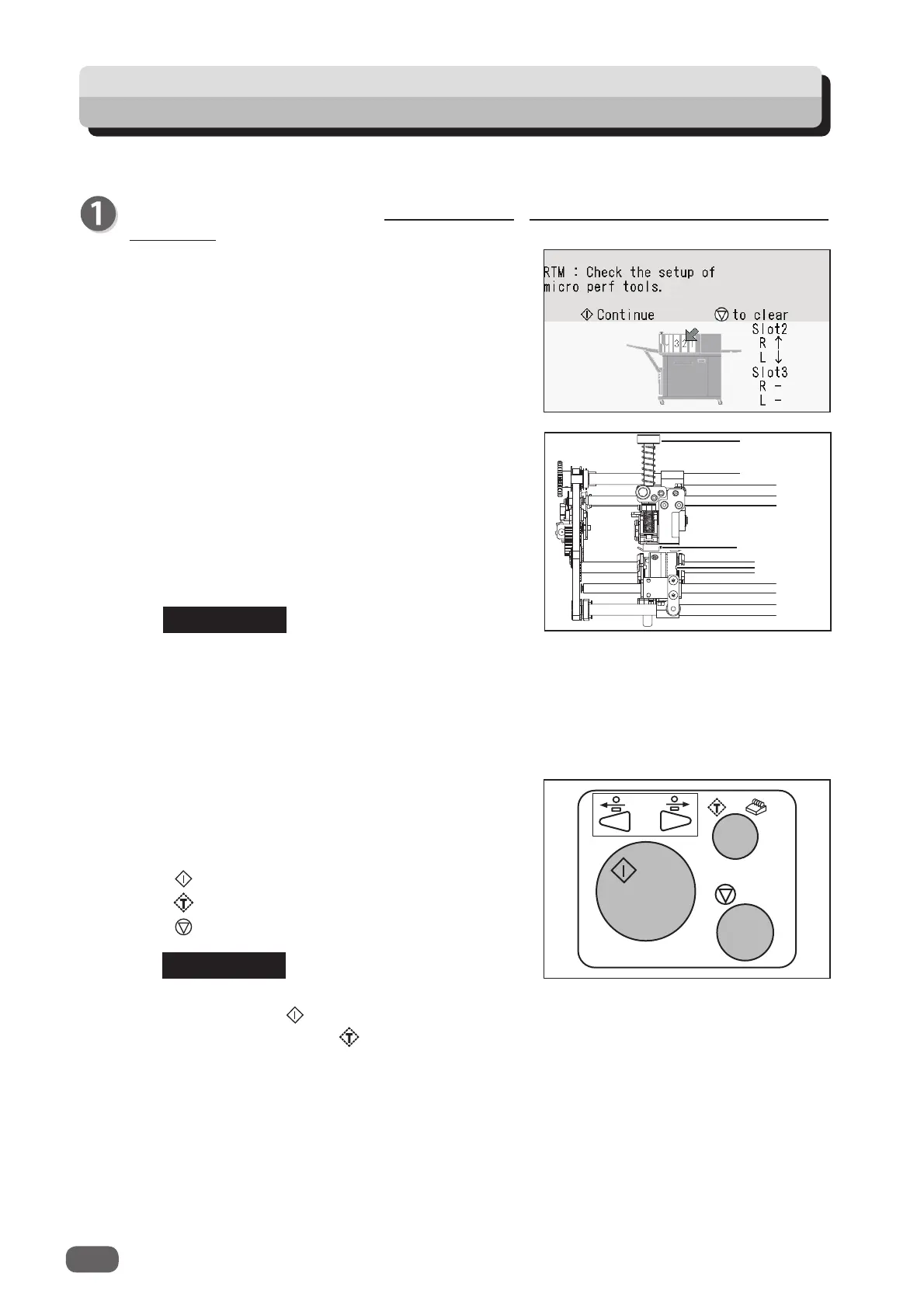
● If the tool check screen appears, follow the
procedure below.
(The tool check screen on the right appears when
the
RTM (Rotary Tool Module)
is installed in
slot
2
.)
1. Open the
top cover
.
2. Raise or lower the tools of the
RTM (Rotary Tool
Module(s)
according to the direction of the arrows
displayed on the screen.
R: Tool on the non-operator’s side
L: Tool on the operator’s side
↑: Raise the tool.
↓: Lower the tool.
−: No rotary tool is used.
4. Touch
any key below.
START key: To continue
TEST key: To continue
STOP key: To clear
● Tool raising position
Turn the
adjustment knob
counterclockwise until it stops to separate the
rotary tool
and the
lower tool
.
● Tool lowering position
Turn the
adjustment knob
clockwise to adjust the tool depth.
3. Close the
top cover
.
The tool check screen disappears.
If you have started processing a JOB with the
START key, the START key appears. If started
with the TEST key, the TEST key appears.
Processing Documents by Retrieving a Saved JOB
REFERENCE
REFERENCE
Adjustment
knob
Rotary tool
Lower tool



 To Next Page